Leaderboard
Popular Content
Showing content with the highest reputation since 08/15/26 in all areas
-
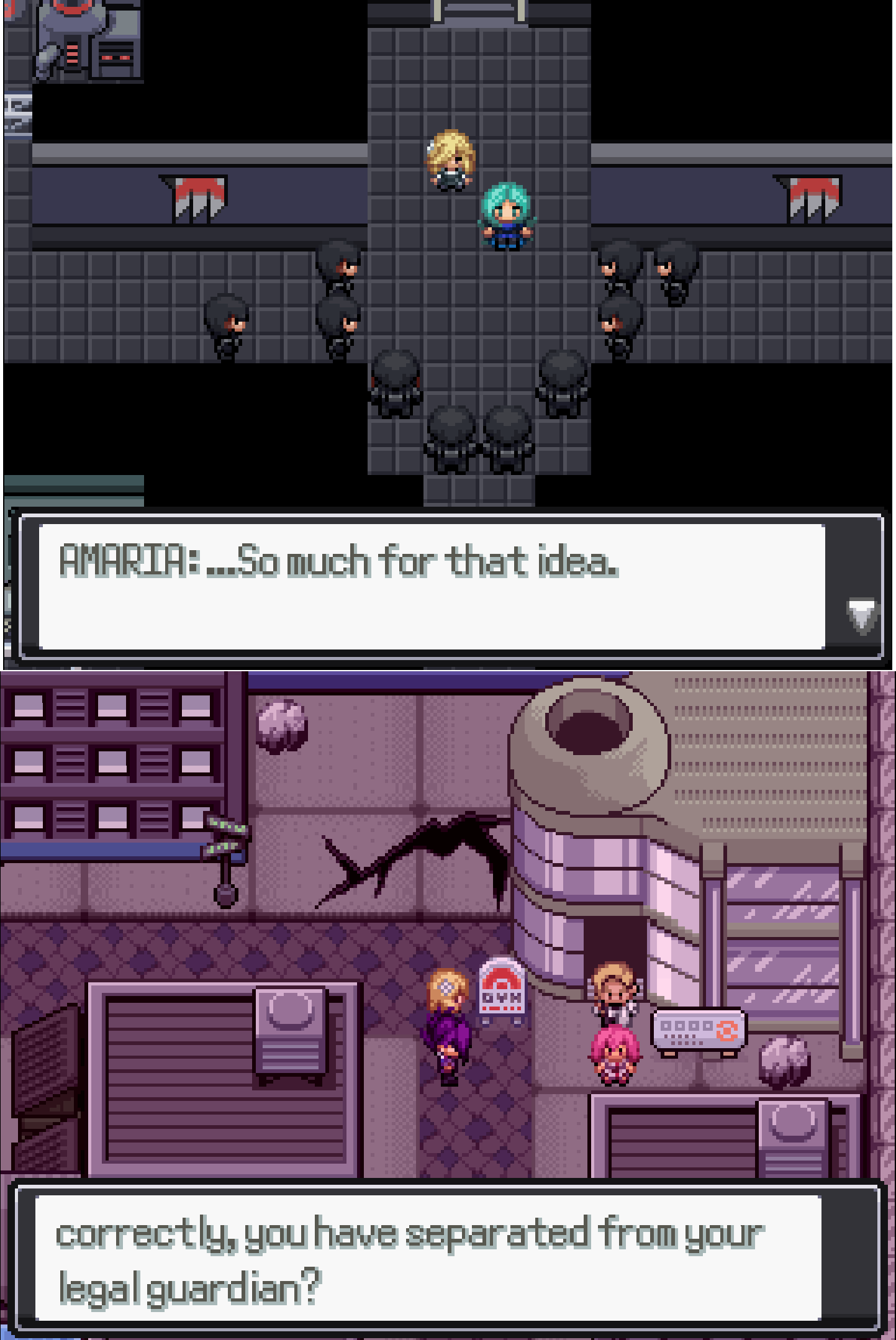
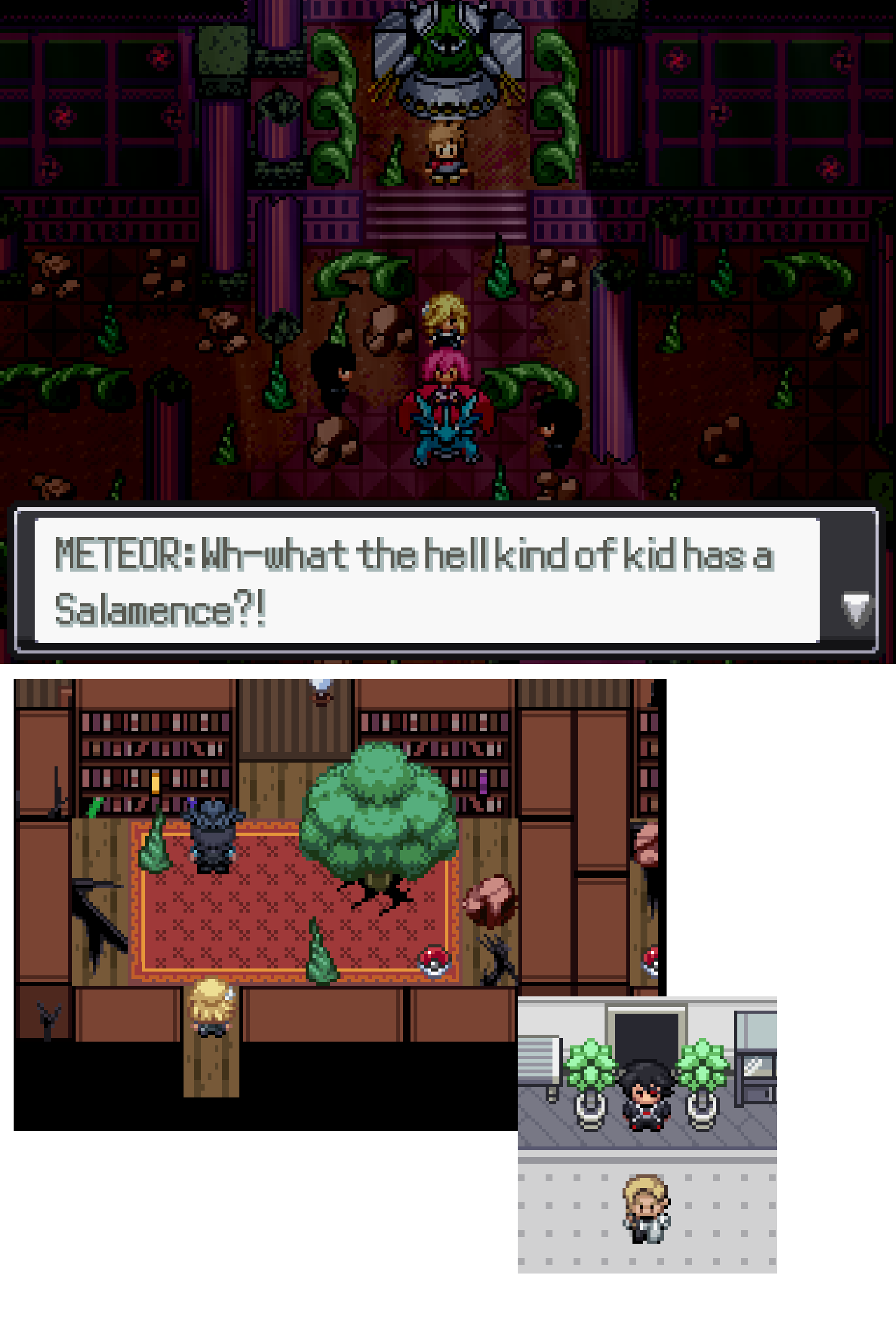
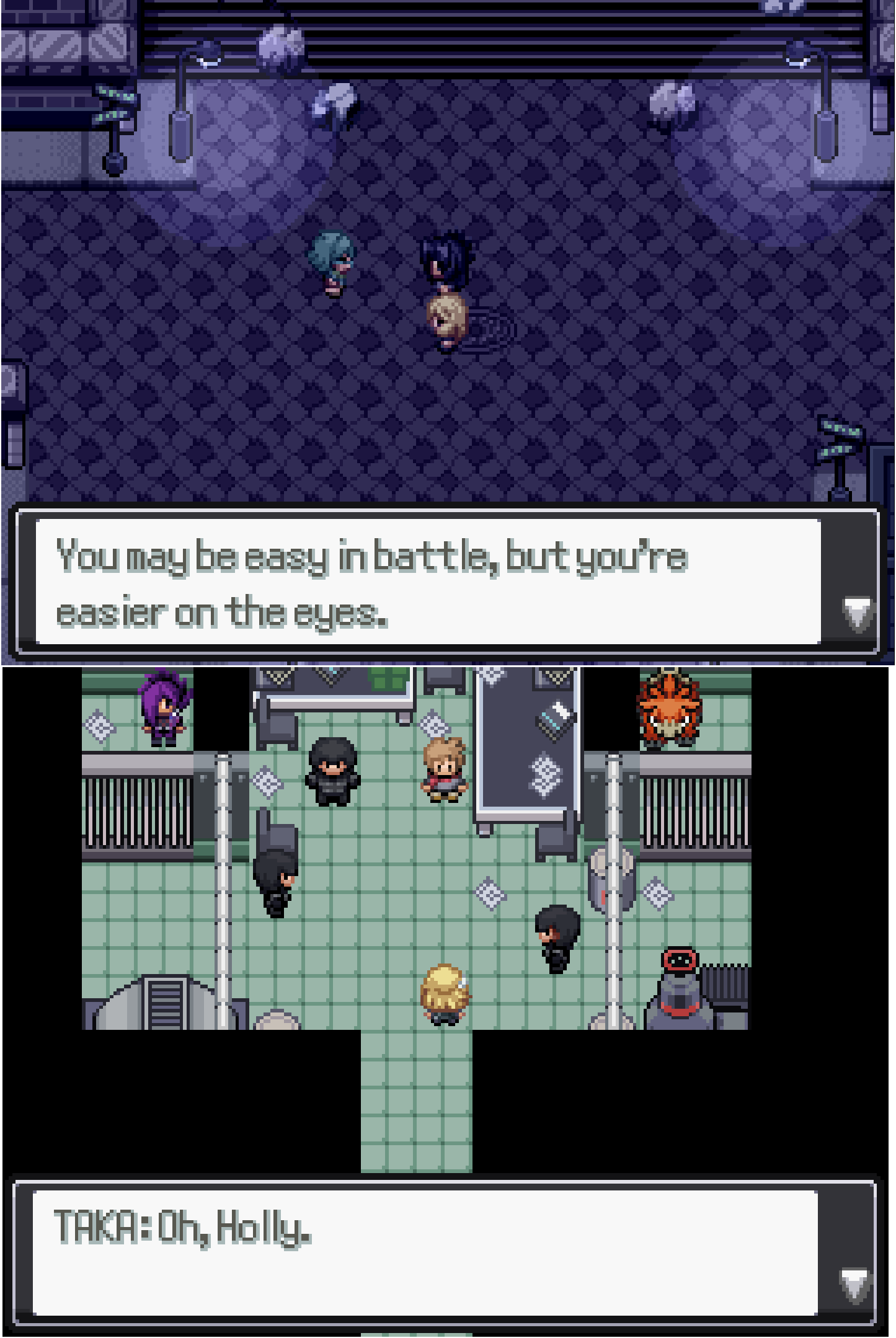
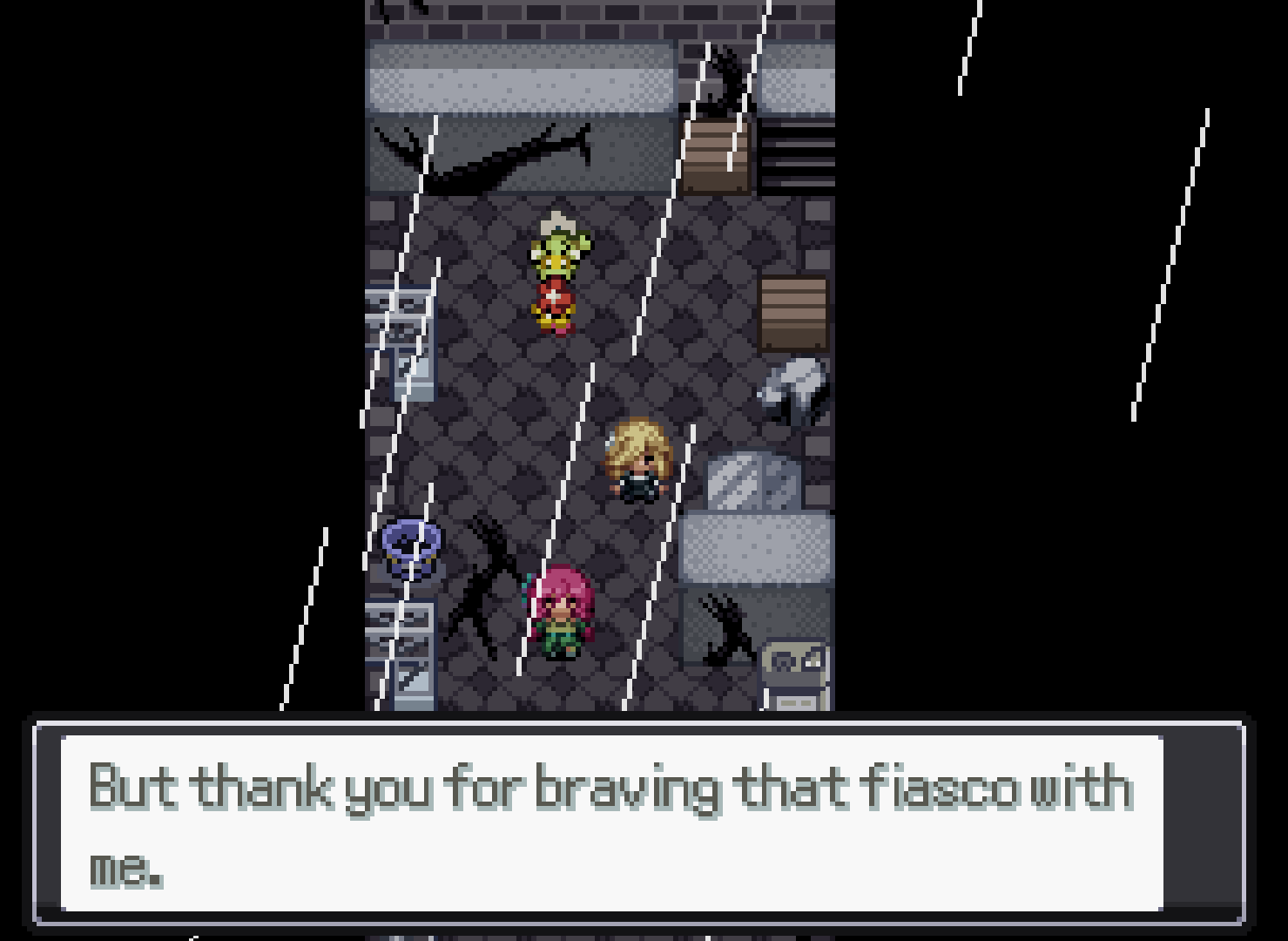
It’s summer time and you know what that calls for? A well deserved holiday… I’m british, I’m not calling it a vacation. In today’s development blog we’ll be highlighting updates to Redcliff and Keneph Resort, a project that I was initially working on before I took on the mantle. Let’s get into it shall we? Redcliff Makeover With all development cycles for games like Desolation, updates to older parts of the game will happen, and Redcliff was one that needed a bit of a makeover. TL;DR Ruby was like “yeah I’m gonna update Redcliff” and I said “bet”. Redcliff being one of the first towns in the game, we wanted to spruce it up a bit, especially since this is where the research lab is located. It’s a town located in the midst of cliffs… given its name, and right by Keneph Jungle, so we wanted to give off a woodland-esque vibe with a sense of tranquillity, here’s how Redcliff will be looking in EP7! The starter room just got a little fancier Once Ruby is set on updating something, there’s no changing her mind, she’s already been doing some makeovers for other areas which you would have seen across previous development blogs, nothing is safe from her pen. --------------------------------------------------------------------------------------------------------------------------- Outside of Redcliff, we have been working on several new areas of the game, such as Keneph Resort! For this next section, I’ll be passing over to twoslashes to talk through his thought process for tackling the map design for the area. Take a break at the Resort Greetings, Deso fans! I’m twoslashes, I joined the Deso team back in February as a spriter and mapper. My main project for the past few months has been the mapping of Keneph Resort, which I recently finished. Further on I'll be talking about my mapping process - how I go from nothing to a full map with a custom tileset, but first, let’s start with some screenshots! Yeah, I definitely went a bit overboard with some of these. Overall, I’m happy with how they turned out though! I’m especially glad to be done with all the indoor maps, I was really struggling to come up with more indoor layouts by the end. Anyway, for those of you that are interested, I’ll describe my mapping process. I’ll mostly be using the antique shop (Keneph Antiques) as an example, but most of what I have to share is applicable to any kind of map, even outdoor ones. Firstly - the design. I was provided with a lot of design details for the various areas of the resort, so the general idea was already there and I just had to fill in the gaps. For the most part, the details were not rigid, so I could change them if I didn’t like them or couldn’t make them work, but I stuck to them for the most part. In the case of Keneph Antiques, there wasn’t anything unexpected for an antique shop - wood floor, display cabinets, shelves, a counter for paying. Notably though, it was supposed to have “unique treasures”, and given the nature of the shop, it made sense for them to relate to the history of Ayrith. Those paintings on the walls may or may not be references to historical areas within the game. Generally, I wanted to give it a bright and approachable atmosphere, packed with stuff to buy. Despite being a new building, I wanted it to have a bit of wear so it could stand out a bit from the other resort buildings. From my observations, I find that antique shops in real life tend to be cluttered, but organized for the most part. Keneph Antiques, however, is a complete disaster when it comes to organization. This is due to sprite size limitations. I found it challenging to display both of these qualities, so I focused more on the clutter since that is more unique to antique shops. Regardless of whether the tiles are custom-made or not, a map should take into account both level design and visuals. These two aspects aren’t completely independent from each other - you can have a nice looking layout, just as you can use visuals to guide a player around the map, but I think that level design is more foundational. Granted, level design is not as relevant in a small indoor map like this, but it’s still good to do the layout first at least, even when spriting tiles from scratch. It’s quick to do, and is a much greater step towards understanding how the final map will feel than, say, spriting a nice floor tile. My first drafts usually look something like this: Not an actual progress screenshot of Keneph Antiques, but it probably looked something like this at one point. Extremely simple, as you can see. It only takes about 20 minutes of experimenting, and it gives a good idea of how the map will feel to run around in even without any proper tiles. Next I’ll add some mostly undetailed blocks for some of the larger items in the map, and determine the general color scheme: Compared to the final version, the colors are less polished, and obviously it’s lacking in detail, but it’s very recognizable at this stage. Now, all that’s left is adding all the additional assets and details, which is by far the most time-consuming part of the process. I’m not going to give a full guide on how I made all of the details, but I can give some insight into my workflow and some general advice. One workflow trick I use frequently is to screenshot the map from RMXP and open it up in my pixel art editor (I use Aseprite for anything tileset-related, but this should work with most programs). The screenshot will likely be at a higher resolution, so I scale it down such that the pixel sizes line up properly. Then you can create the asset directly on top of the map, which immediately gives you full context as to how it’ll look in game without having to add it to the tileset. If you do the layout first, then you can do this for all your assets, which will save a lot of time throughout the process. I almost always start with the silhouette when making assets. I can take a blob and throw it on top of the map and get a pretty good idea of how it’ll look when it’s actually detailed, which I find more difficult to do with an outline. I also prefer to work in grayscale and color the asset as one of the final steps, mostly because I find the process more straightforward when I can focus solely on one thing at a time. Colors can be swapped cleanly and easily in pixel art, so I don’t find any downside to this workflow. Anyway, the silhouette shouldn’t take long. It just needs to vaguely resemble the object’s shape. For large objects with more organic shapes (e.g. the Milotic statue in the reception, as well as the leaves around it), adjusting single pixels trying to make it look perfect is taking it too far for this stage, because it’s likely that further adjustments will be needed once more detail is present. Next, I’ll add shading and highlights, still in grayscale. With indoor maps, the light typically comes from straight above, but sometimes I like to put shadows on the side to show the form of the object better (ideally on the side closer to the wall, but for objects used repeatedly it doesn’t matter too much). With small objects, I don’t bother with any cast shadows, since they interfere too much with the form. For larger objects, I start pretty rough, then I refine the shape of the silhouette and the shadows at the same time. Some antique shop assets, still in grayscale Finally, it’s time to add color. Working in grayscale encourages having appropriate value contrast between the local color and the shadow color, so I try to keep the contrast consistent between the gray and colored versions. Keeping the grayscale version on the side to reference while adding color to a separate copy can help avoid reducing or overdoing the contrast. Colors are relative - the same color can look different based on context, so I also recommend placing your object on a screenshot of your map when adding color if you haven’t already, mostly to make sure it doesn’t look out of place. That said, I don’t stress too much about having perfect colors yet because they’re easily fixable later on. Now, that’s where my process ends when it comes to individual assets. However, once I have all assets made (or sometimes a bit earlier if I get bored), I’ll do a phase of color adjustment on the map as a whole. The easiest way I’ve found of doing this is to take a screenshot of the map, edit the screenshot to make it look better, then apply the same edits to the tileset. Lastly, I manually adjust any individual colors that look out of place. Well there you go, a summary of my entire mapping process. I apologize for not having many examples for the details part, unfortunately I didn’t take many process screenshots while in the middle of making assets. Despite that, hopefully some of you find this helpful, and I hope you’re looking forward to experiencing the resort in-game! --------------------------------------------------------------------------------------------------------------------------- A massive shoutout to twoslashes for all the work he’s put into what was essentially my baby when we started EP7 development. For those unaware, while Caz was meant to be working on main story, this was going to be my focus on the Episode as it was my idea to build something to bring new life to Amaria as we continue our journey across Ayrith and have an area for players utilise in their playthroughs, from move tutors to the new Fight Club. With Caz’ departure and myself taking over the project, I reviewed the scoop of what we need and decided to delegate this to other members of the team. Seeing how it has now come to life truly brings me so much joy, and I really can’t wait for you all to experience it for yourselves. In other news before I close out this blog, last month our friends over on the Rejuvenation team have finally dropped their V14 update not too long ago, I would imagine a lot of you might have already played or are in the midst of playing. If you haven’t yet then I highly recommend you checking it out! Jan and his team have put so much effort into it, truly pushing the limits of what was known for Fangames and has honestly given me a lot more inspiration for Deso. So go play this, it’s your homework. :) https://rejuvenationgame.com/download That’s all for now folks, til next time! Posty30 points
-
This will probably be the last site news post I make. ... Scary, isn't it?! But don't worry, I'm just being dramatic. The statement is true because probably, at some future point, I'm going to retire this news section. The posts are infrequent, game announcements are better served elsewhere, urgent things have better notification systems... This is a vestige. Time to let this go. But the forums? The site? Nah, they not goin' anywhere. Information is hard to come by right now. Platforms are enshittifying left and right. Search Engines are worse because the internet is worse, genAI is inflating everything like a circus balloon, and there are one million ads on every site. Hell, even we've had ads! And you know what, I'm sick of it. The income has been helpful-- even necessary. But by jove, at least one site on this godforsaken internet will be ad-free. I've just yeeted them from the site. Fuck 'em! I think a lot of people are tired of the current state of the internet. And I can't help most of that, but I can help here. Forums are a bit antiquated-- all the cool kids use Discord, right? Discord is great, but not eternal, and many exchanges there stay there and in our memories only. So that's my goal for the site now: Longevity of information and community. Maybe it's a bit lofty, but at least we can have one tiny island of peace amidst all the tumult of the modern internet. But it would be nice if it would load faster, wouldn't it? Believe me, I've been trying. I'll keep trying. I'm pretty sure it's better now?? Not perfect, or even always good... But at least better. It'll be work in progress. Other changes: Shuffled some forums around. New banner. Trying a post widget on the side. Whatever, you can see for yourselves. Actually, this was going to be a more major forum upgrade, but there was some bullshit, so that's not happening. Frankly, I have a lot to say about some of the stuff behind this extended maintenance. I've compiled a lot of stray thoughts into a free post on my patreon, A Postmortem of the Modern Internet. If you want to read in depth, you can there. It's half an essay. But if you, heartful reader, feel so inclined to help us keep this place afloat, it would be most certainly welcome, and helpful. The patreon above directly supports both my development and the (rising, grumble grumble) server/hosting costs. I've been running this forum for twenty years and I intend to run it for twenty more. Let's see what we can do to make it feel like home.10 points
-
Hey guys! Thanks for supporting my mods Due to limited forums upload size limit i am forced to downsized and make it a modpack. For anyone or new wondering what are the mods include to my mod pack there is a txt file of all the mods in the zip file inside the patch folder. DO NOT RESET THE GAME VIA F12 IT MAY CAUSE BUGS. patch.zip For an active support for the mod/Things you want to talk about it, Please visit the discord server threads in rejuvenation section, mods of rebornrevo server with the same name as this forum name.4 points
-
Great that so many people are having fun! Addressing some things mentioned above: - the excel doc is gonna be updated for missing stuff (i did some overhaul with the next upcoming patch so it's gonna be restructured a bit) - yes! the randomizer is working (for now). Most likely, it's gonna be released with the next patch. It might still need some testing, as i don't really have time to do a thorough testrun myself though (i did test it up to gym 4, excluding side stories). - aevian forms will be an option with 19.6 when the codebase of all rebornverse games have been unified -the additional custom abilities are currently not woroking because of a misshap on my side regarding one of the randomzer files (a bit of overwriting stuff) - this will be fixed with the next patch as well i probably plan to release the next patch quite early this time, estimating around next week!4 points
-
Don't report bugs to the devs if you are using mods. If you have issues with the mods use this thread to report it or contact us by Discord. The rars all come with the proper folder structure, just throw their contents into the game folder. This is a compilation of mods working for V14 ported from the one I made for 13.5. They are very modular and shouldn't break on small updates. Some didn't need changes, while others needed some small touching and some have been just made from zero due to how much the code of those parts changed or me having a better idea on how to do it. Some mods have been removed because they are superflous due to being alrady something dientical or similar in the base game. Some I may just considered that are not needed. Make requests for adding things and I may do it if I have time. You can have them all or chose the ones you want. Some of them have dependencies on three scripts that don't do anything unless you have the others. They have code that can be called from other scripts. This time I am adding some modular debug that activates the debug menu in particular places only. Far more recommended to use oly those you will use to prevent errors with the debug menu. People who contibuted to this pack besides myself (detailed credits ont he specific mod): @Jarred B Dank aka Matt. Made some of the mods of the pack. He has been the main person who collaborated with me in Discord to make the QoL Mod Compilation Pack for Rejuv 13.5 from which this verson was ported. @AsNKrysis aka AsN. Ported three of the mods available on the pack. He also has his own mod releases for 13.5, so please check them too. @Waynolt a lot of his modular pack were ported to v13.5 modpack, which was the previous version of this v14 modpack. @DemICE some of DemICE's mods have been ported or have been used as references when making new ones. @DQL Contributed mods for V14 modpack You have to drop the "patch" folder in the rar in your game's folder. Everything is already properly set there. Note for Andoid users: Delete path cache after installing mods, not doing so may cause some mods not appearing, so if a mod is failing, try doing this first. Mod List: Rejuv V14 QoL Mod Compilation Pack Changelog: Downloads (You need to be logged in): Semptember 12th Update (14.0.24). Version 19: Rejuv V14 QoL Mod Compilation Pack Version 19.rar You can also check my ShowMoveEffectiveness Mod for V14. Old Downloads:3 points
-
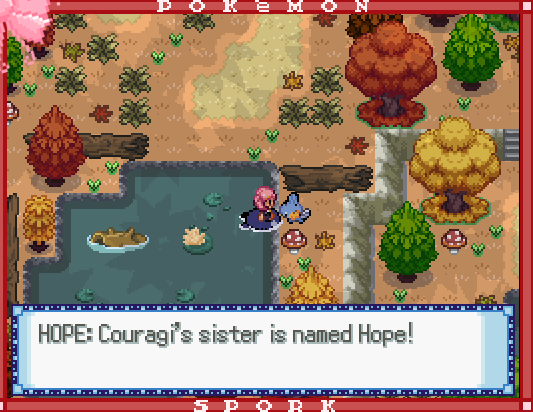
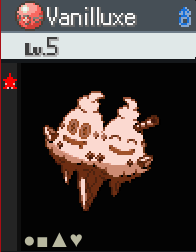
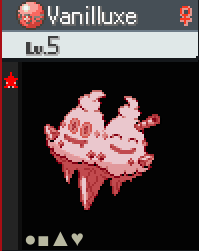
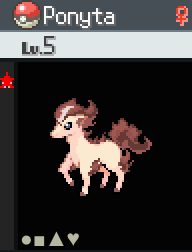
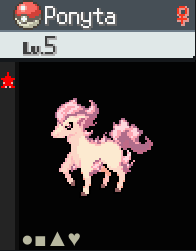
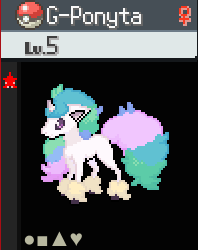
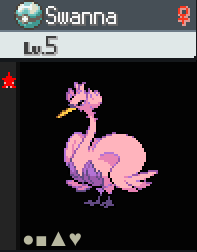
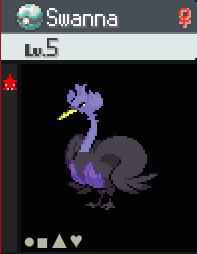
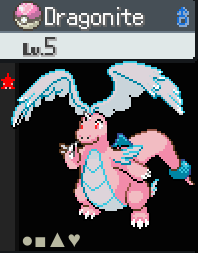
Reuploaded Spork UPDATES: -new custom shinies: two different custom shiny Vanillite lines made by me two different custom shiny Ponyta lines; one made by Punkeev and one made by me two different custom shiny G-Ponyta lines made by me custom shiny Swanna that matches canon shiny Ducklett + a different custom Ducklett line made by me custom shiny Dratini, Dragonair, and Mega Dragonite made by me that match Rainlove's shiny Dragonite -added third skin tone to Team Portal Agents -added Trainers to Molten Mountain and Hemola Swamp, as well as a few more in various other areas -the Shiny Stealing Scoundrel police case is now called "Got Your Nosepass" and the thief stole a Nosepass instead of a shiny Aerodactyl -team changes: Ashley's Ponyta/Rapidash is now shiny (the pink one) Uma: Delphox -> shiny Rapidash (the brown one; nickname Teio) the dentist's G-Rapidash is now shiny (the light one) Sushi's G-Rapidash is now shiny (the dark one) Quinn's Swanna is now shiny (the fully custom one) -added various overworld Pokemon interactions: Rick Gastly at Wonky Woods Crolea's Gothitelle and Nova's Gothitelle talking to each other at Crolea's birthday party all four shiny Hippopotas at Sea Star University for a hippo campus added the shiny Smoochum to Isaac's Secret Base both shiny Vanilluxe are now with the regular Vanilluxe at Crystal Castle Hope, Couragi's sister, gives you the Swampertite at Marvelous Marsh Belinda and Belladonna's Roserade talking to each other at their house -several Trainer classes now have naming themes: Hikers are named after mountains, Beauties are named after artists, Swimmers have water-related names, Fishermen have fish and fishing-related names, Hex Maniacs are named after witches, Aroma Ladies are named after flowers, Lasses are named after Eeveelutions, Maids have cleaning-related names, and Youngsters have names similar to Joey -Beauties' Pokemon are now sent out in Love Balls + Poke Ball on Trainer sprites updated by Punkeev to Love Ball -updated Dragonite's Pokedex pun since the previous one was about if Dragonite has a Mega Stone, which it does now -added text to more objects in Crystal Castle FIXES: -added missing music that was meant to play when you enter Mulder's arena -the Umbreon Sign now blocks Maid Charity at Crystal Caverns and Trickster Flora at Opaque Valley -if the player interacts with Eva from the left or right at Party City, they're now warped to in front of her to prevent the player being on the same tile as her Toxtricity or Scolipede when they're sent out during the concert -Martial Artist Honoka and Martial Artist Hina now have the correct Trainer sprite -some of the audience in Mulder's arena no longer look like they're standing over the railings instead of sitting behind them I hope you enjoyed being Rick Rolled! The new Pokemon interactions have been in and out of my mind for a while, some for up to a few months, so I decided to finally add them all. On the topic of Pokemon, here's some info about the new shinies: Vanillite lines: It's very surprising they didn't have custom shinies already, since I'm an ice cream sand witch. I made a chocolate one and a strawberry one, so together with the vanilla line, we have neapolitan ice cream! Ponyta lines: The regular Ponyta are based on Teio and Haru from Umamusume, and the Galarian Ponyta are based on Celestia and Luna from My Little Pony! Punkeev was the one who chose Teio! Ducklett lines: I noticed when scrolling through the Battlers folder that while the canon shiny Ducklett has vivid pink and purple colors, this for some reason doesn't carry over to the canon shiny Swanna, which barely looks different to regular Swanna. So I made a Swanna to match the canon shiny Ducklett, and also made another shiny line resembling Black Swan from HSR! Mega Dragonite: a forum member named Rainlove posted a shiny Dragonite in Creative Works a long time ago with permission for anyone to use, and I used it for Spork. I hope I did Rainlove's style justice with making a shiny Mega Dragonite with the same colors! I also made Dratini and Dragonair while I was at it. For Pokemon in Spork where an evolution has a custom shiny but the pre-evolution doesn't, I already had plans to eventually give the prevos shinies too, so Dragonite gets to be the first! Adding and changing Trainers the past few reuploads due to the third skin tone project, the new naming themes, and just wanting to add some to areas that didn't have many (or any) before, I learned how underused some Trainer classes were. The biggest surprises were Youngsters, Lasses, and Scientists. After the second Gym, I seem to have mostly forgotten about Youngsters and Lasses. And while there was an okay amount of male Scientists, there were only three female Scientists in the game, one for each skin tone. I hope with all the new adjustments I've done recently, it doesn't feel like any of them are underrepresented. While the third skin tone project is now complete as far as human Trainer classes go, there are still some non-Trainer NPCs to give them, and a different idea I had for Sea Stars: special effects to make them look more different from humans, like Ceolis does. We could try negative space, or seeing if there are any other cool techniques that could work, even if we can't find the one used for Ceolis. Unlike with Ceolis where the technique is on his entire sprite, I'd like to keep the other Sea Stars' outfits as they are now, as Palletite worked hard on them, so the effects would just cover areas like their faces, arms, etc. I'm not 100% sure on how it will turn out or how long it'll take, but I look forward to trying!


 3 points
 -
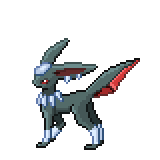
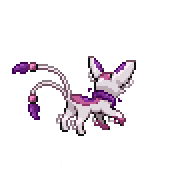
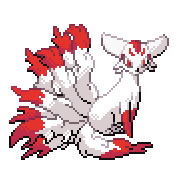
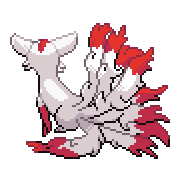
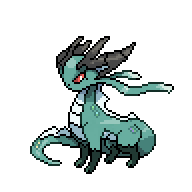
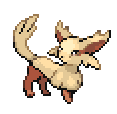
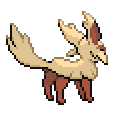
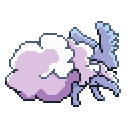
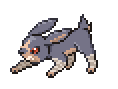
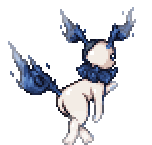
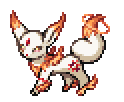
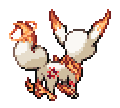
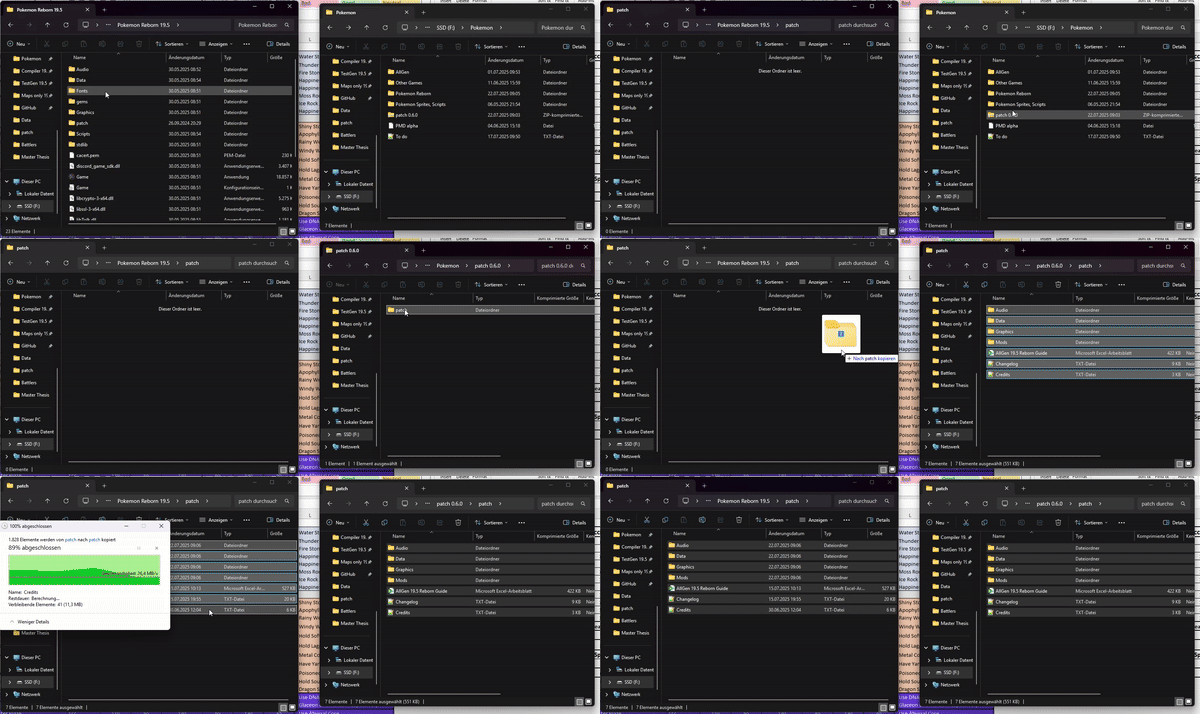
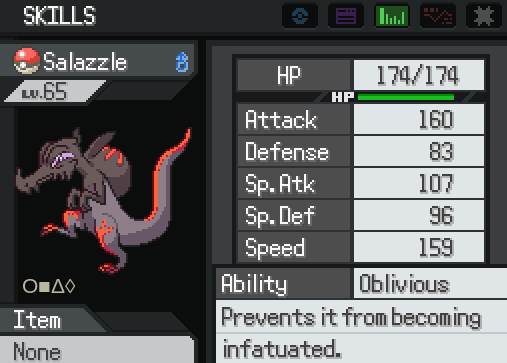
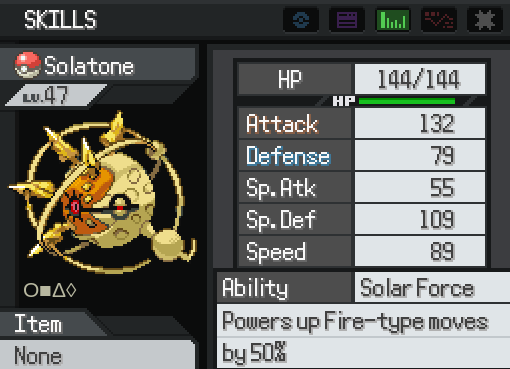
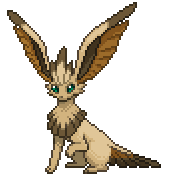
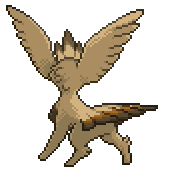
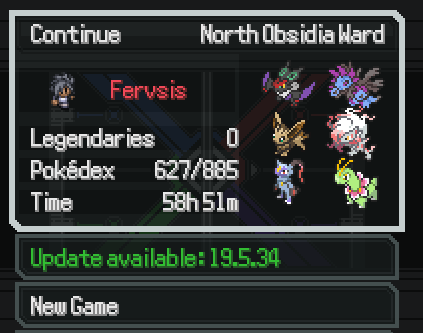
Pokémon AllGen Reborn! (19.5 ready) Hi Everyone!~ This is the Forum Thread from the previously named "Eeveelution mod"! This is a mod that implements (almost) all the Gen 8 / 9 / Hisui content, as well as a lot of optional custom features! The story is almost entirely unaltered, so you get the usual Reborn experience story-wise with the opportunity to encounter new Pokemon. Note for Self-Modders: Modding a mod became a bit more complex with 19.5. If anyone wants to mod the mod, ideally contact me (or our mod community in general) via Discord! If the demand is high, I might decide to make a short guide on this page later. Features: All Pokémon up to Generation 9 (including Hisui and Z-A Megas) Gigantamax forms introduced as Mega forms G-Max moves for their respective Gigantamax Pokémon A separate save folder to easier distinguish between your saves New Abilitiy distributions to suitable Pokemon from older Generations Custom Pokemon and Forms! Special Feature: Sunkern Switches! - Replaced by a toggle option in the menu! You will find Sunkern sitting around certain place all across Reborn City! - You can talk to a Sunkern and choose the mode you want to play with: You can now toggle the difficulty in the ingame options: Reborn: You will experience the typical Reborn experience without any changes to Trainers, events, etc. AllGen: Battles against Trainers are updated to include Gen 8 / 9 content. AnyGo: A different approach of "Casual Difficulty": Trainer teams will include Custom content, Legendaries, and Gym Leaders are not restricted to only one type! Also difficulty is ramped up a tad bit. Additionally, you cannot overlay field effects with Surge Abilities when a field already existed (e.g. on julia's gym battle grassy surge wouldn't work) Optional Custom features: Custom Megas: Currently over 70 new Custom Megas are added (ever-increasing) Custom Mega Stones are added which can be accessed in "Marble Maniacs" in Calcenon City after beating Adrienn. It's the house left to the Poké Center. Many of them also get signature Abilities (can be checked with the Guide) 2. Ability Changes: A handful of Abilities got buffed or changed, mainly he ones that are heavily underused/underperforming Changes can be activated by talking to an NPC in Grand Hall OR in Agate Circus (Green-clothed NPC) A book is added for all recorded changes (also in the docs) 3. Eeveelutions: Eevee has now custom Eeveelutions for all types (see at the end of this post) They are not considered necessary for Pokedex completion or similar achievements You may encounter these when evolving eevee under very specific circumstances (evolution methods are listed below and in the docs 4. Custom Forms: Several Custom forms have been added Custom Fusions have been added These may be encountered independent of the game mode chosen, they are completely optional though (except for AnyGo mode) All custom forms are documented in the Guide that comes withinh the patch folder download Some examples: Special Notes: Terastalization will not be added - mainly due to balancing issues The Protean change (that it only activates once per battle) is not included Movesets may still be missing some move compatibilities (reports are welcome!) Check out the Important Notes below for a specific issue NOT compatible with these mods: Pokemon Nightmare Mod Pokemon Memeborn Reborn Sandbox mode Pokemon Reborn Yang / Reatomized / other full-overhaul mods Other mods that change ingame scripts Randomizer is out for testing! (Version 0.9.7) Compatible mods (ONLY IF they are updated to 19.5): Aironfaar's Mod Box SWM Modular Modpack Pyrolusitium's UI Overhaul Ash-Greninja Mod -> This mod has been incorporated and fused with the Battle Bond Password! Pristine Accuracy mod Battle Music Pack -> This mod as been integrated as well (see a bit below) Important Note: Save file location For anyone wondering why the game cannot find you save file, AllGen uses its own save file directory! The New directory is usually in savedgames/AllGen Reborn, just copy contents of the original directory over there! Side Note: People from earlier versions than 0.8.0 need to transfer their save files from the previous /savedgames/Pokemon AllGen to the new savedgames/AllGen Reborn directory! The renaming happened due to conflicts between legacy AllGen version causing corruptions and errors. (The new name is also just better) How to Download / Installation Even though 19.5 AllGen is technically in a beta, it is already more stable than the legacy version! This still means, if any inconsistencies were found, please do report it here or on our Reborn Discord! In contrast to the legacy version, 19.5 mods only work via patches. Download a clean 19.5 Reborn game, OR download the specific Joiplay version for your Phone Update the main game vie the ingame updater (on the save file choosing screen) Download the patch.zip from the Link below Unzip the folder For Joiplay - empty the game's patch folder before adding the mod drop the whole folder into the main directory of your 19.5 Reborn game If you update between patches, remove the previous folder and put the new one in the folder! Profit Do NOT apply the patches' content to the folder, you do not overwrite any files. If you get asked to overwrite any, you did something wrong! Here is a small Gif for demonstration: AllGen Reborn patch 0.9.7 (Last updated 30/08/26) https://mega.nz/file/v8ZC2BpY#GNSQodCCWcoqb7eNPnW9gwfQcbyZr97O7ajkEO7jI_k Google spreadsheet https://docs.google.com/spreadsheets/d/1JFgeB3OJEadA2E0nC4t0ISUQeNYmRIpq/edit?usp=sharing&ouid=117014621059890777493&rtpof=true&sd=true Battle Music Pack Compatibility patch The compatiblity patch has been removed due to the integration of a custom music pack! Thanks to all contributors, especially @Ashzure, @Karvanha and @Dreamy for their inspiration and parts of their Music Packs! https://mega.nz/file/zw4jBDrJ#y-oCW1ISSsMxJ1mKfpWg1fGsHHJY15abeeCMqoRU-a4 You can toggle the Music Pack ingame in the options menu. Note: The AllGen Reborn 19.5 Guide (Excel) comes directly with the patch download as well! Changelog: Bug Report: Please report all bugs you can find related to abilities, incompatibilities, crashes etc. in the comment section or by contacting me in the Reborn Discord in the #Reborn-Mods or #Pokemon AllGen Reborn Channel For the Eeveelutions: Sneak peeks for the eeveelutions! More details can be found in the docs! Eeveon - Normal Type Credits to Starwolff Braveon- Fighting Type Credits to Starwolff Nimbeon - Flying Type Credits to Starwolff Hawkeon - Alternative Flying Type Credits to Eleanor Brick (Design), Me and Baraayas (Sprite and polish, Discord) Dusteon - Ground Type Credits to Starwolff Basaleon - Rock Type Credits to Starwolff Titaneon - Steel Type There were no names associated with this design, if anyone may know from where please tell me! Front Sprite Credit goes to Badman#6291 form our Reborn Community (Back by me) Ephemeon - Bug Type Also no associated name for credit, however I found it here Toxeon - Poison Type Credits: Dazed Flame Sprite Credits go to The archived Eeveelution Thread Kitsuneon - Ghost Type Awesome Design Credited to OnyxBlock Sprite Credits: Kriyanceldt Drekeon - Dragon Type Design by Mykel Ryan (Sprites by me) 2 NEW additions to the Eeveelution Family! Eevee Deities~ Published under the Creative Commons Attribution-ShareAlike 3.0 License https://creativecommons.org/licenses/by-sa/3.0/ Found on Deviant Art Abysseon - Underworld Deity Sprite: Dracoyan Artwork: Eysselia Concept: Eysselia Divineon - Heavenly Deity Sprite: Dracoyan Artwork: Eysselia Concept: Eysselia Credits go to their respective creators/artists/designers. Legacy Version (19.0.16) and Doublebattle mod With the advancement of 19.5 AllGen, I took down the legacy version. If anyone still needs/wants a link for it you can contact me. Credits (contact me for missing names, they are all appreciated):
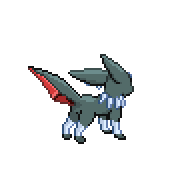
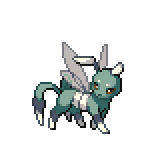
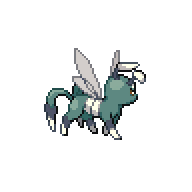
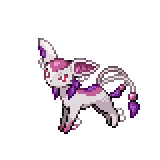
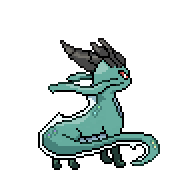
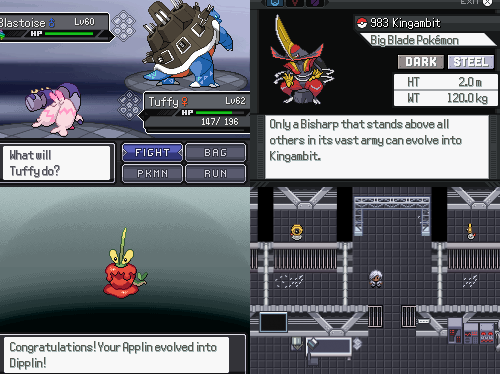
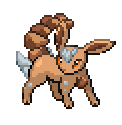
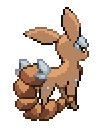

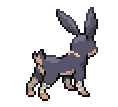
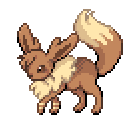
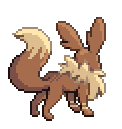
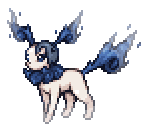
 2 points
 -
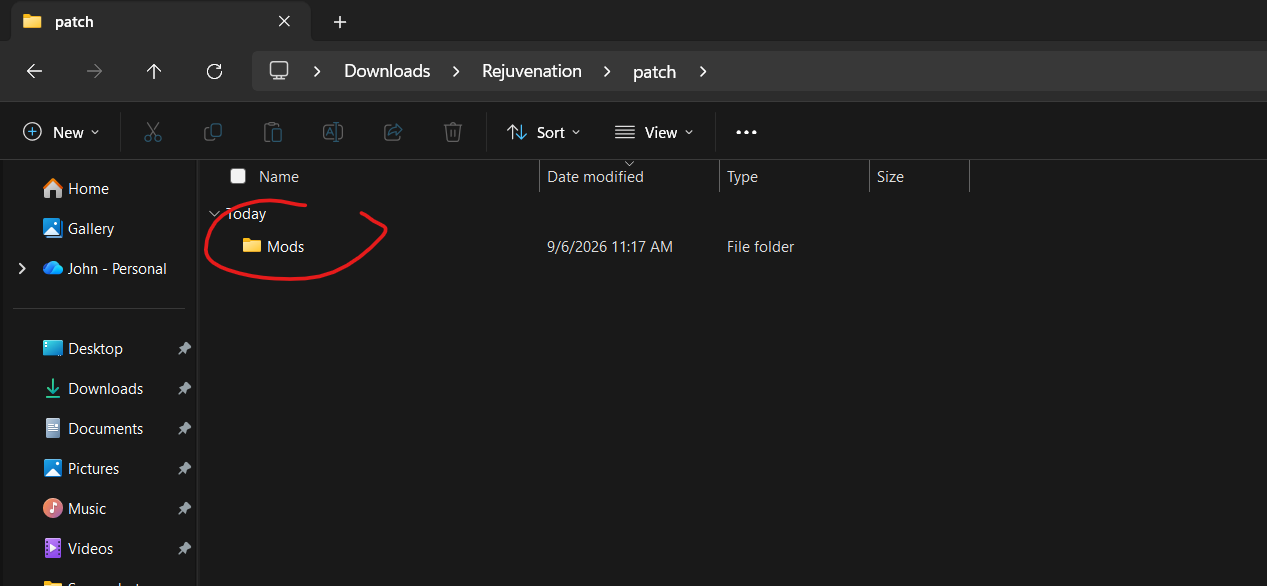
PROPER GUIDE FOR INSTALLATION AS OF V14 9/6/26: I am new to modding and had no idea how to properly install this mod. The instructions were incredibly vague, but I managed to figure it out. Here are proper instructions: 1. Download the Mod zip file from this page. Make sure you get the newest version! Scroll down in the comments to find the mod creator posting the newer versions as time goes on. 2. Extract the zip file once you've downloaded it. 3. Open the extracted zip file. 4. Open the "Rejuvenation" folder. Have this folder and the extracted mod zip file open side by side. 5. In the "Rejuvenation" folder, open the "Patch" folder. 6. In the "Patch" folder, create a new folder, and name it "Mods". 7. In this "Mods" folder you just created, DRAG AND DROP all three of the files that were in the extracted zip file for this mod you just downloaded! There should be only three: "MMFollowers(Numbers).rb", "PokemonFormItems.rb", and a "Follower" folder. ALL THREE must be dragged and dropped into the new "Mods" folder you just made. 8. Open the game, press control, and it works! I am on a windows laptop, so if this method does not work for you, it may be for that reason. Hopefully this helps! (Screenshots attached below to help!)
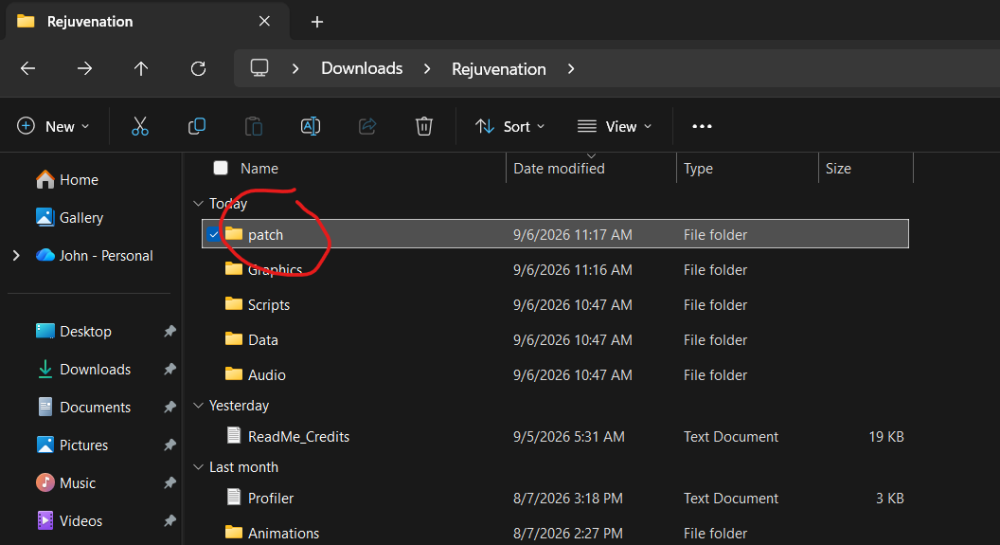
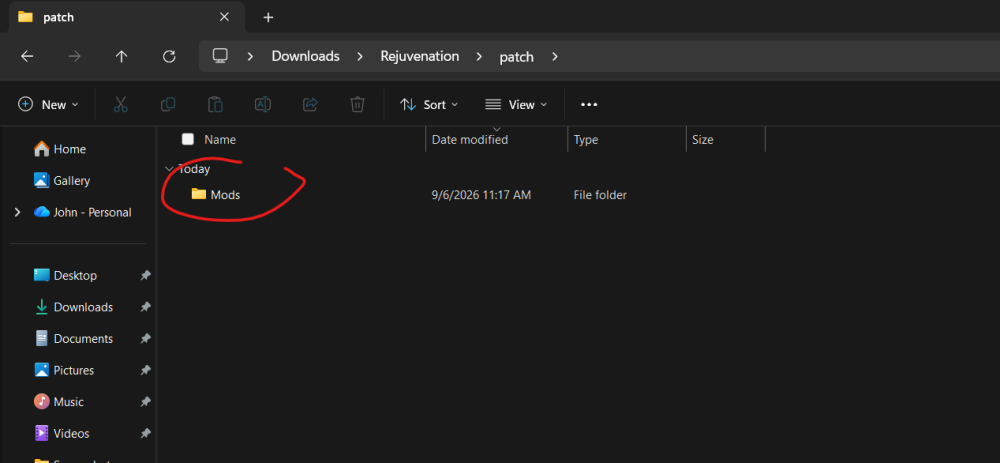
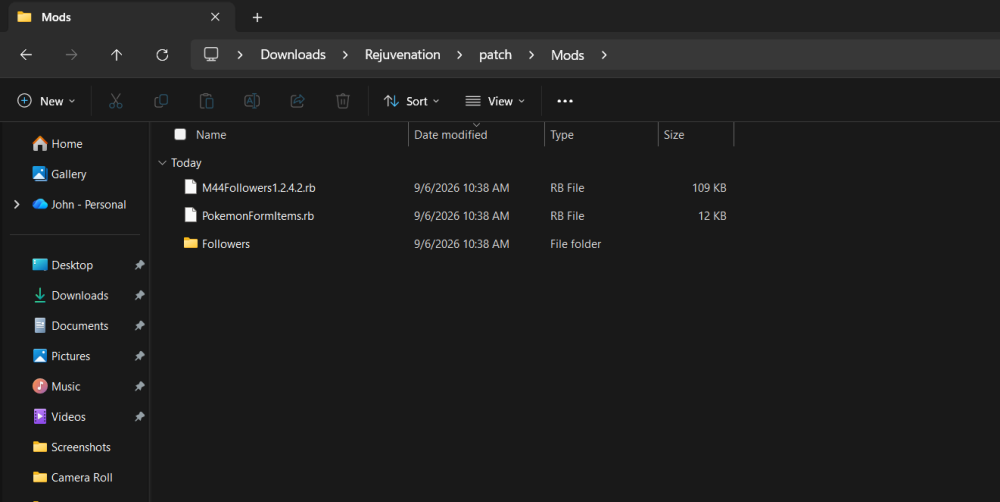 2 points
 -
Great to see that this Forum will stay; I personally prefer Forums to Discord, because here, Information can be gathered and immortalized for any, who will search the internet for solutions in the future2 points
-
Mega electivire...? Mega Magmortar...?

 2 points
 -
Is there a way to make it so when you have one follower and it dies, the next pokemon doesn't come out (or the next pokemon doesn't get put in the first slot in your pokemon order) ? Currently when it dies, the next one starts following and gets put in the front slot in your pokemon order. And when you go heal, the newest follower stays in the first slot instead of the fainted one going back to the first slot. So if I'm leveling a first slot pokemon, I always have to reorder it after every pokecenter heal.2 points
-
Introducing Advanced Crests! This is my take on a modular format for adding custom crests to the game. For the modders out there, this should be fairly easy to adapt to further systems if desired. The download can be found here on my GitHub! I will not be re-explaining anything tech-y here. Feel free to submit PRs if something is Bad modders. New Crests! Partly for myself, and partly inspired by a friend running Where Love Lies, I've decided to make a bunch of crests based on it and whatever else we find interesting. At the moment I only have 4 fully planned out: Spidops Crest: Holder gains Fighting- and Dark-type STAB and resistances. Deals 30% bonus damage per Speed drop on the target, multiplicative. Scyther Crest: Holder's slicing moves are always critical hits. Donphan Crest: Holder deals 20% bonus damage and takes 12.5% reduced damage. Each time a move is used consecutively, apply these bonuses again, additive. Caps out at 300% bonus damage and 87.5% reduced damage. Snorlax Crest: Holder's Special Attack and Special Defense are swapped. Additionally, base Speed is equal to Snorlax's current percent HP, scaled from 30 to 160 (Base Speed -> Base Health). Xatu Crest: For each turn the holder is out, the holder gains a random Type's resistances, indicated by color. Additionally increases stats by 15% per Totem Height I may or may not remember to update this post, but the GitHub should stay up to date lol2 points
-
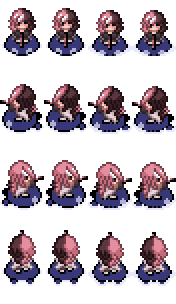
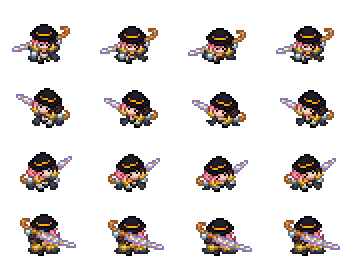
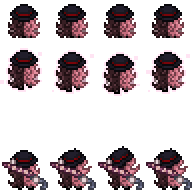
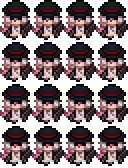
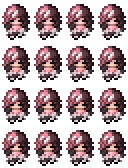
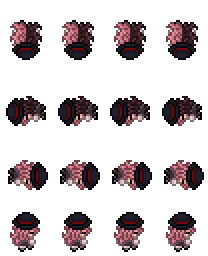
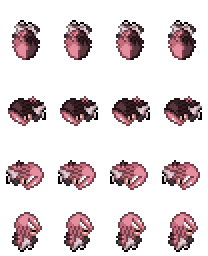
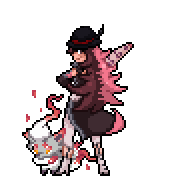
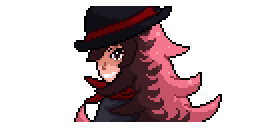
Hello hello Rejuvenation and RWBY fans! Over the past few weeks I picked back up my Neopolitan project from like, 2 years ago and updated it with almost everything currently in Version 14 of Rejuvenation! There is, a LOT. Seriously there's a lot of smaller stuff that I might've just forgotten in the process of making these, but it's whatever since I can just update the pack whenever. Quick things though: 1. I don't own Neo or have any ties to RWBY ownership in the slightest. I'm stating this just to be 100% clear, even though this is obviously a fan work. 2. These sprites WILL contain spoilers for both Paragon and Renegade in their entirety, you've been warned. 3. These sprites were named as if they are replacing Alain's sprites in game. Meaning if you want them to go over a different protagonist, you have to do that yourself. 4. Renegade's sprites are not 100% complete, as of now only Paragon is completed. This will be done at a somewhat later date, but hopefully soon. 5. There is no Legacy sprite for this pack. Yeah I just couldn't think of one in all honesty. This is is pretty much all the ones done, with some not shown in the spoiler stuff. But like I said, they should be done sometime in the future. So be on the look out for that! RWBY Neo Drive That is the link to the drive where things are also organized if that's easier. (I think it's much easier to use this tbh.) Okie that should be everything I gotta talk about and showoff, so yeah. Enjoy being one of the Top 3 RWBY characters in Rejuv!

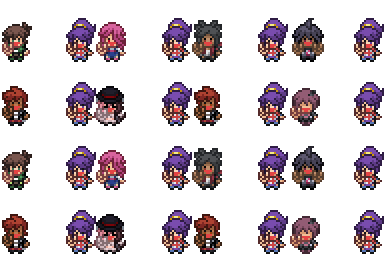


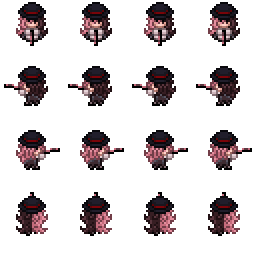
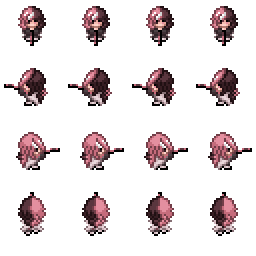
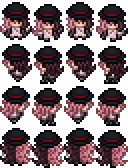
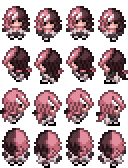
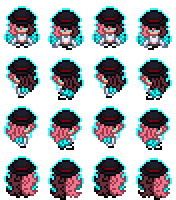
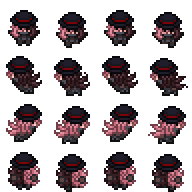
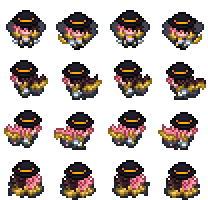
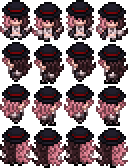
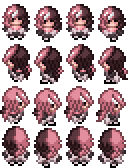


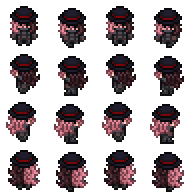


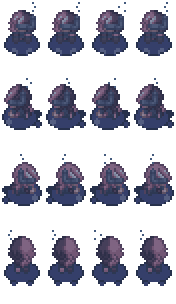
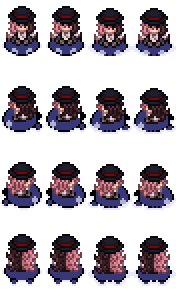
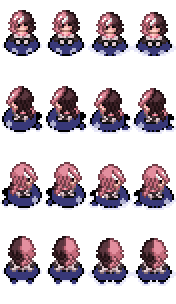
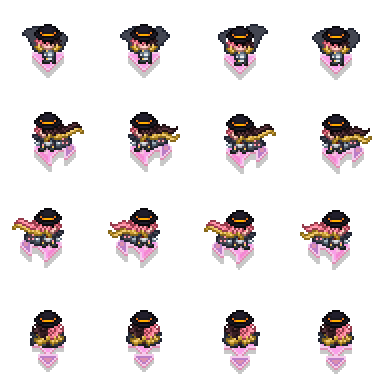
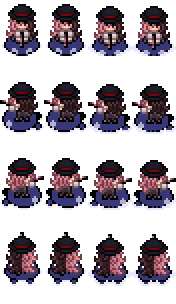



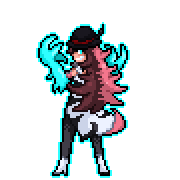
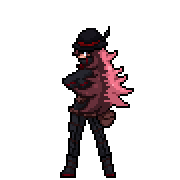
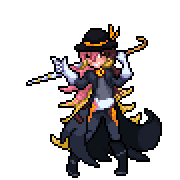

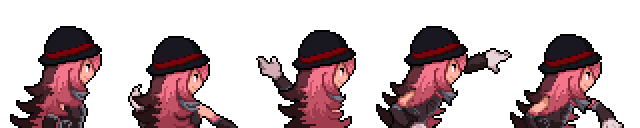





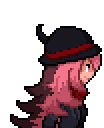

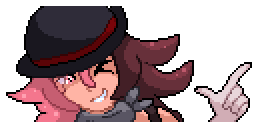
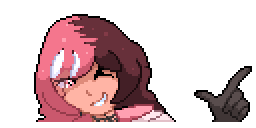

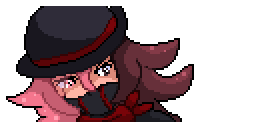

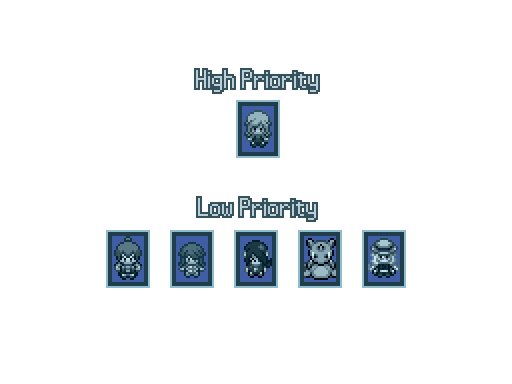
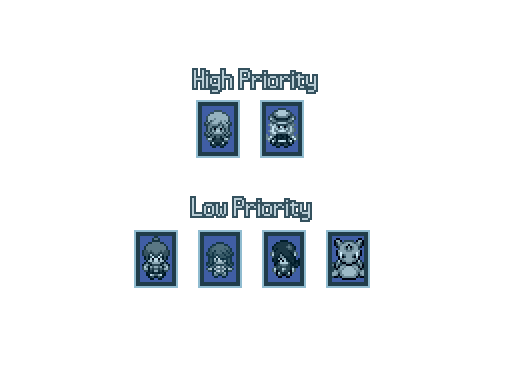
 1 point
 -
This is a guide on how to add custom crests. We’ll be changing the game’s text files, so I recommend having a vanilla version of Rejuvenation and another where you do all your modding in case something bad happens. You’ll need to be able to read and understand Rejuv’s code (it’s not that difficult). https://www.rebornevo.com/forums/topic/65765-modding-tutorial-rejuv-v135deso-ep6/ is good to read as well. Adding The Crest Go to itemtext.rb through Rejuvenation > Contents > Game > Scripts > Rejuv > itemtext.rb (I'm on mac so idk what it's like for windows. It should be the same though). Scroll all the way down, and the last item should be :FURRCREST. Copy it and paste that below. Change the name, ID, and description to fit whatever Pokemon you want. In our case we’ll be making a crest for Crobat, so it should look something like Make sure there’s the } below your item. Then you can run compileItems and you should be able to get your item through Kernel.pbItemBall(:CROCREST). If it doesn’t work try quitting out and then rebooting the game. You’ll also need to go to PBStuff.rb in the Scripts folder. Control-F “crest” and you should see all the Pokemon with their crest. Make one for your Pokemon as well. This “links” Crobat to the Crobat crest, so now when you go into a battle, you can see the crest symbol next to the HP bar. Making the Crest Work Go to Battle_Move.rb in the Scripts folder. We’ll be spending most of our time here. First we’ll make it so that Crobat gets Dark STAB and resistances. Control-F “Resistance-changing Crests”. You should see a bunch of entries for existing Pokemon. Dark resists Ghost, Dark, and is immune to Psychic, so it should look something like Then Control-F “STAB-addition”. Add another one for your chosen Pokemon. It should look like If you also want to change the crit rate of your Pokemon, Control-F “RAZORCLAW”. You’ll see a bunch of “c+=1”s. Let’s increase Crobat’s crit rate by 3 when it uses a biting move. Samurott’s crest checks if the move is sharp, so if you Control-F “sharpmove” it’ll lead you to the code for the Sharpness ability. The code for Strong Jaw is also there, so copy paste that for Crobat Now let’s make it so that Crobat heals when using a contact move. If you Control-F “Shell Bell” in Battler.rb you’ll see the Shell Bell code. Copy it, change it a little, and add a check for contact. Restricting It to a Certain Form (optional) If you want to make your crest only for a certain form of your selected Pokemon, for example Alolan Marowak, you’ll need to go to Battler.rb in the Scripts folder. Control-F “hascrest”. You should see Copy paste that and change it. For Alolan Marowak, it should look like This makes it so that Marowak is only crested if it is Alolan. (form 0 is normal form, form 1 is alolan/hisuian/aevian) These are all just examples of commonly seen changes that Crests can give. If you want something more game-changing and in depth than simple STAB bonuses and stat increases then you’ll have to look for other items/abilities that produce a similar effect, or you’ll have to create it entirely from scratch (I tried to make it so that Crobat switched out when it used an attacking move, but U-Turn, Flip Turn, and Volt Switch were their own class of moves, and the switching out code was really weird and I couldn’t understand it, so that didn’t end up happening). You might also need to go through multiple other text files to find the effect you’re looking for, so be prepared for that. Obviously a lot of people have ideas for crests, and I haven’t seen a custom crest guide anywhere in the forums (i didn’t search very hard though), so I thought that this would be helpful in case anyone wants to implement their own into the game. If you want to share custom crests (downloading the changed files and replacing them), I don’t expect that it’ll work with multiple mods (as each file has something different), so I think it’ll be helpful to detail the changes when sharing them to avoid problems with using multiple mods. If there's any problems with this guide then please let me know.1 point
-
This is genuinely so cool!! Plus Neo representation is always gooood.1 point
-
Was able to get in here from between the small bush and yellow tree to my right.
 1 point
 -
Fixed the bugs found by the community: Glalie bug is now fixed(download link on discord) thanks to @Constances Manetric bug fixed thanks @RandoTrainer/Zain(discord) Mega venasaur bug fixed thanks again @RandoTrainer Bag crest not working for luvdisc(fixed) reported by jigen(discord)1 point
-
It is the river next to kecleons shop, surf down then get on land to the right, the pokeball there contains the fairy feather1 point
-
Added Mega Gardevoir, Mega Gallade abilities with spoiler i guess Updated martevo stone to add Gallade and Gardevoir mega stone Added a new crest version that applies for all1 point
-
This is an effect of how the mod is currently coded. However, I can work on a hotfix to prevent this for anyone else who wants to avoid having to reorder after healing.1 point
-
No prob XD I put it in the same category as me forgetting to shut down the game, installing the mods, then wondering why they didn't work (Which happened with the Harbinger Gardevoir)1 point
-
This is my bad honestly i change mine and not the uploaded files sorry1 point
-
Damn wrong calls let me hotfix it1 point
-
idk why they recommended it that way, but it works perfectly fine if installed by the patch folder method. that's how i installed it and it works perfectly fine.1 point
-
Fixed the bugs reported by @RandoTrainer Correcting chandelure forms and abilities activating twice, please delete the existing chandelure files in graphics/battlers1 point
-
Nvm, The First picture is all of the field interaction messages aren't they1 point
-
Updated All except 3(drampa,garchomp,malamar) field interaction. Fix the bug reported by @RandoTrainer1 point
-
I knew this meganium reaction would happen1 point
-
In a few days i may work into another forms of existing pokemons but idk where to start i will just borrow sprites and make something out of them like the celestial Gardevoir for example. But expect it would not complicate any other existing mods, I will make sure it's modular as possible.1 point
-
Wait i think i found the bug XD1 point
-
I am now updating the existing mega abilities to have interactions expect them to be more interesting to play in the field that fits them. It could buff or it may have some interactions with But the first would be my first 3 mega abilities which is Froslass : Icy / Snowy Mountain,Frozen Dimension, Haunted / Dimensional / Bewitched, Volcanic / Burning / Infernal Underwater / Water Surface. Delphox : Psychic Terrain, Burning / Volcanic / Infernal / Volcanic Top,Fairytale / Bewitched / Misty / Holy. Icy / Snow / Frozen Dimension Chesnaught: Grassy / Forest / Flower Garden, Colosseum, Mountain / Rocky / Factory / Short Circuit, Burning / Volcanic / Infernal1 point
-
Figured it wouldn't matter cause it has a crest, which is what you were working with there. Appreciate you adding it!1 point
-
Ah yes because he has no mega stone xD but I will include him, and ohhhh it must be the mega evolution then the switch in activating all at once will fix it.. thanks for reporting1 point
-
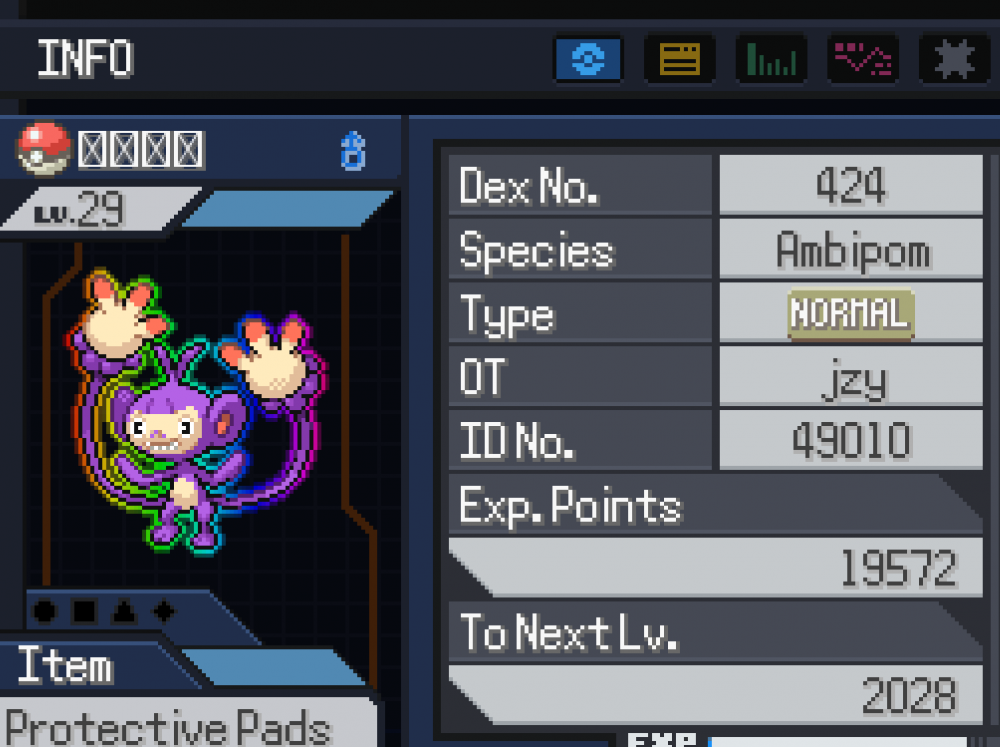
The first time I saw a Prism Aura Pokémon, I was taken aback. I thought, “Wow, the shiny effect in this game is really nice!” But after defeating it, I checked my own Pokémon and found that I didn’t have that aura. After looking up some guides, I learned that you need to hold a specific item to get it. The original version has a beautiful rainbow aura, but it occupies a held item slot. With this script, you can enable the colorful aura effect without needing the Black Prism. Just set the corresponding option to true in the script, and you can turn on the aura for the Pokémon in that party slot. Instructions.txt PrismAuraController.rb
 1 point
 -
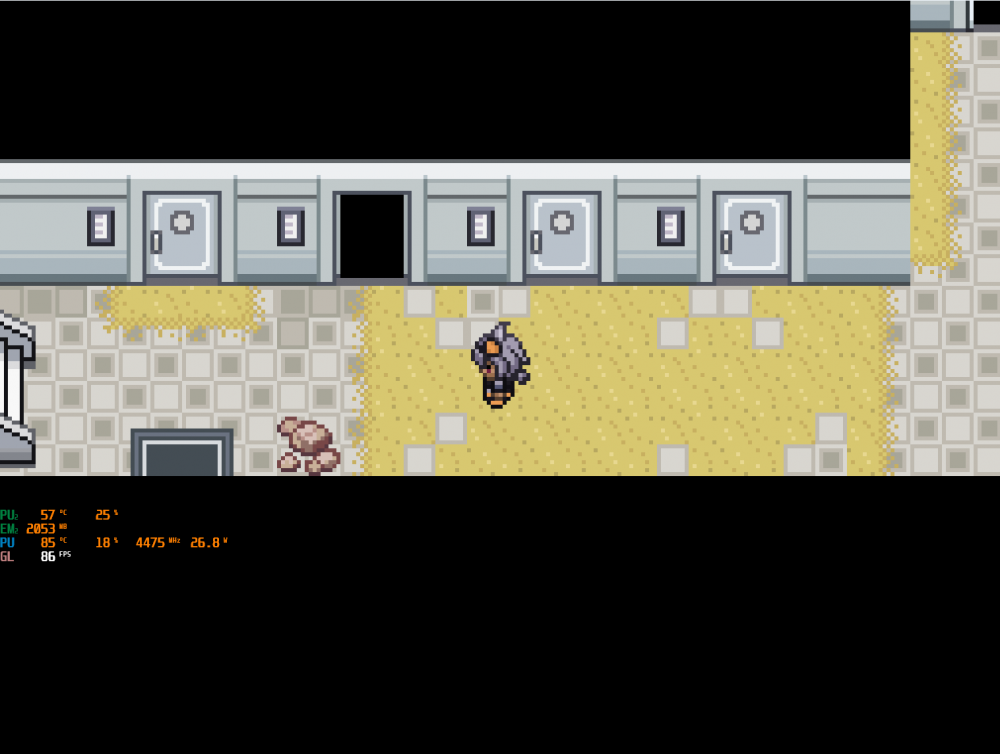
Today I discovered that the game is capped at 40 FPS, and I wanted to see if I could increase the frame rate. After checking the game scripts, I found that higher frame rates are indeed supported. With this script, you can adjust the parameter to 60, 90, or even 180. For mobile devices, setting it to 60 FPS is recommended due to hardware limitations. Rejuvenation FPS Unlock Mod.zip
 1 point
 -
You only need to go free Venam now Game.rxdata1 point
-
This wasn't in the Excel guide (unless I missed it), fyi. Also, thank you for the update-I'm really excited that the always on Mega Evolution thing is built in now. I love quality of life features like that.1 point
-
Thanks! And yep! I love trying them out and creating teams with them, it's so much fun!1 point
-
Updated both sceptile and barbanacle to make sure they won't throwing a random errors Improved the sceptile verdant pulse logic1 point
-
Ohhhhh there's a typo in one of the stone I'm sorry :(1 point
-
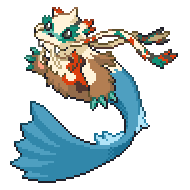
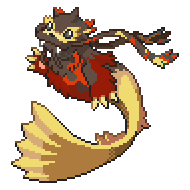
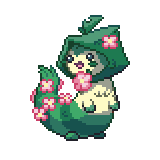
Fictitious Forms Mod 1.0 This mod contains a few new forms to add to your Pokemon gaming experience. This mod is a continuation of the Mega Girafarig mod, but I wanted to start a new thread as I want the focus of the mod to be on forms in general, not specifically Girafarig. I may add new forms in the future, at which point I will update this thread instead. Fictitious Forms is currently designed only for Pokemon Rejuvenation, but you can copy the script lines for the below forms to adapt these forms to Reborn and Desolation. I plan on adapting these forms to those games in the future, at which point I'll update the files to include scripts for them both as well. New Forms: Aevium Dewgong Aevium Furret Mega Girafarig If you have any feedback or suggestions for these forms, please discuss them below and tell me what you think. credits.txt Fictitious Forms Mod.zip


 1 point
 -
following for future updates and whrn work dies down for me to make my own stuff1 point
-
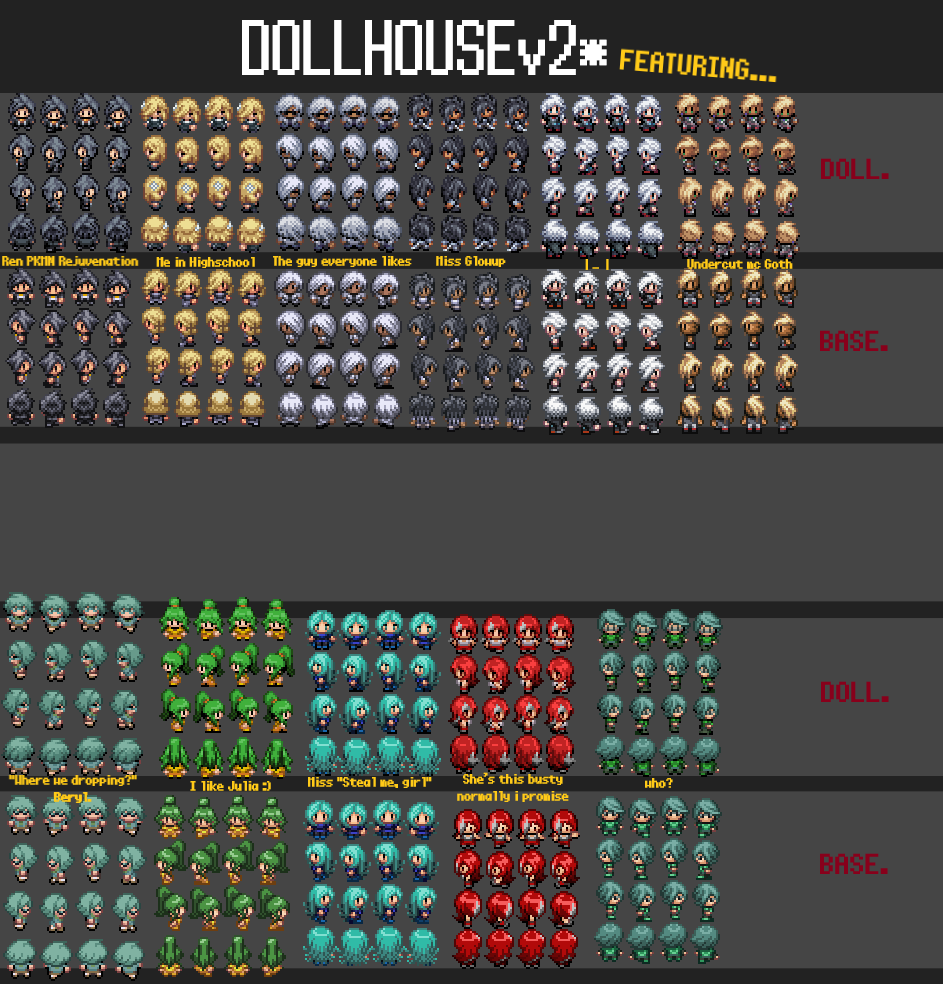
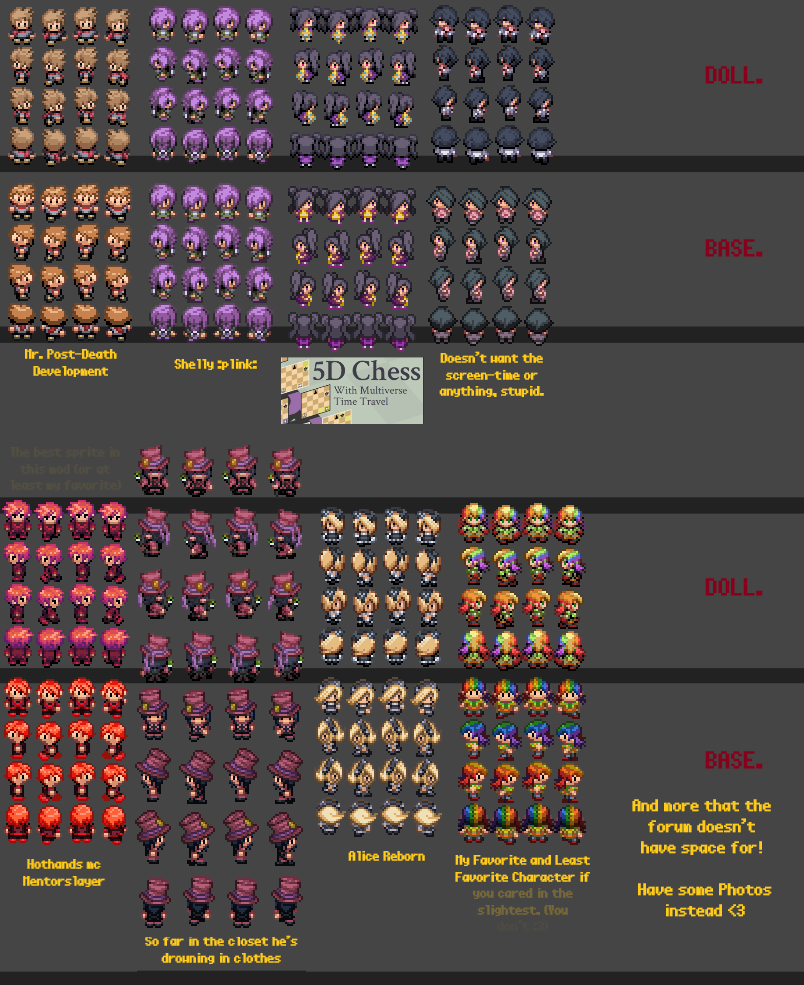
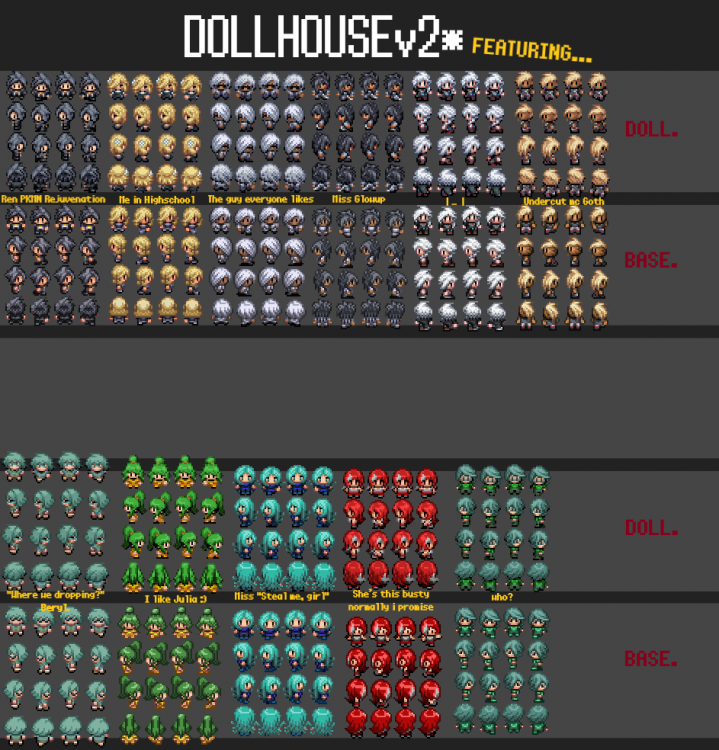
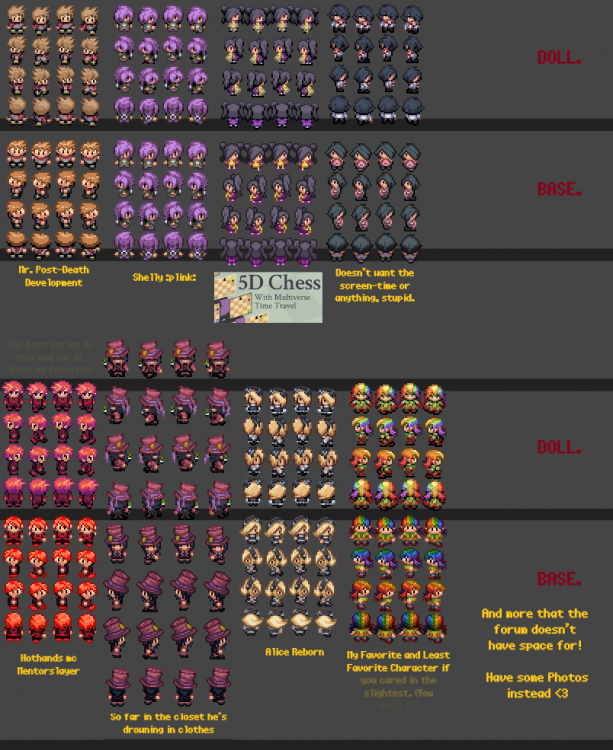
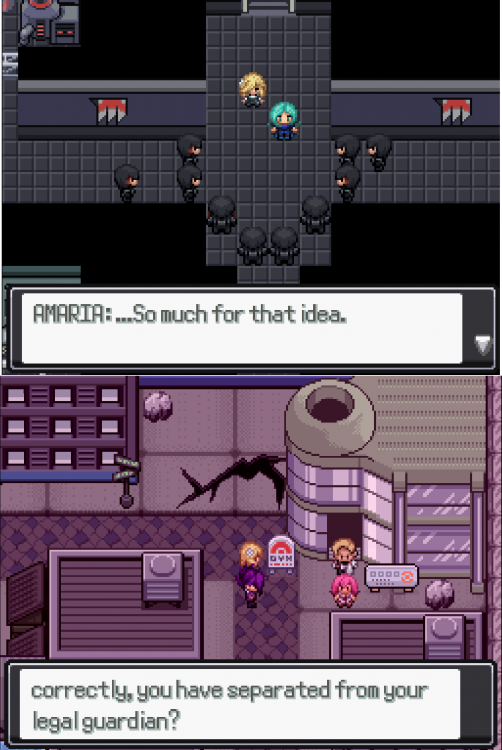
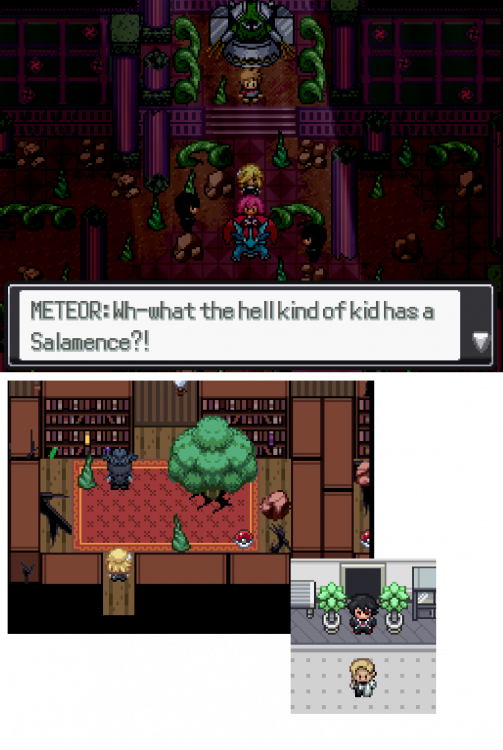
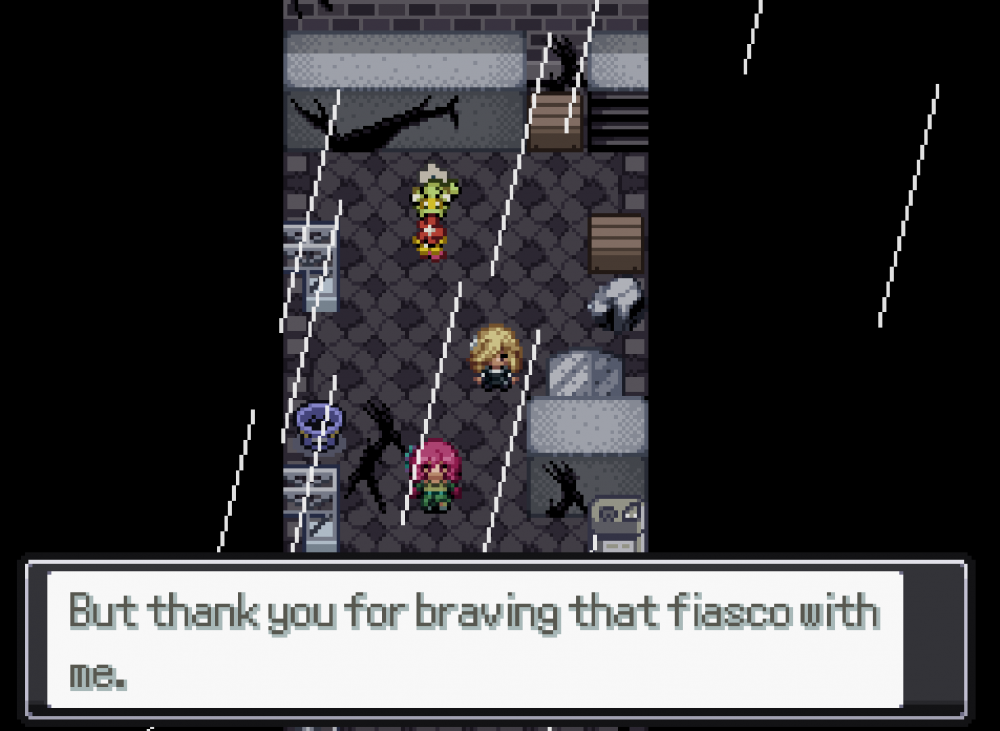
This is intended to be used with the Conditioner Mod I made last year: It works fine on its own though, so if you're just looking for the Overworld sprites only you're in the correct place. ____________________________________________________________________ Remember last year when I was in the kitchen slaving over a hot stove of hair products and clothing dye? Girlie's back and dinner is served* ( * The mod's not 100% done yet, closer to ~75% finished but still usable) This is (Intended) to be a complete overhaul of Reborn's Character Overworld Sprites, since I've already done the Battle Sprites previously. Finished: V2: - All of the Protagonist Sprites that aren't Tauros, Fishing, or Minecarts (I'm a busy lady and it's been half a year ;p) - Several more Women - Some Animations (egads!) - Redid Bennett (THANK GOD) - Still working on the rest. V1: - Two of Six Protagonists (technically 1.7 since Lucia needs her Fishing sprites still) being Alice and Lucia. - Various Women - Fireboy and Watergirl - Many More (But not all of them yet) Download: (Most Recent) [The Download reads as 'Unavailable' if you aren't logged in :> ] Dollhouse v2.zip (If version 19.5.21 breaks anything let me know and I can do a hotfix but I severely doubt it will break anything.) There's a thread in Reborn's 'Reborn-Mods' channel if you're interested in commenting/weighing in on the sprites Intended Progress Pipeline: V1: Initial Version, cleaning the Sprites for the characters I viewed as needing them the most (also Radomus) V2: Second Version, Finishing the Protagonists and Named Characters Did most of the Named Characters, still a few more and some inbetween sprites <-- YOU ARE HERE V3: Third Version, Rest of Named Cast, NPC Trainers and others. V4+???: whatever im missing ig i unno
 1 point
 -
Returning for the second time after years of absence, we're excited to present you the Rejuvenation Character Popularity Poll! We haven't held one of these since 2019 (after V12's release), so now that Act 2 has been wrapped up, it's time to run it back. Instructions on how to vote and the rules can be found here! :) Please note there'll be spoilers for BOTH ROUTES so check the page at your own risk!1 point
-
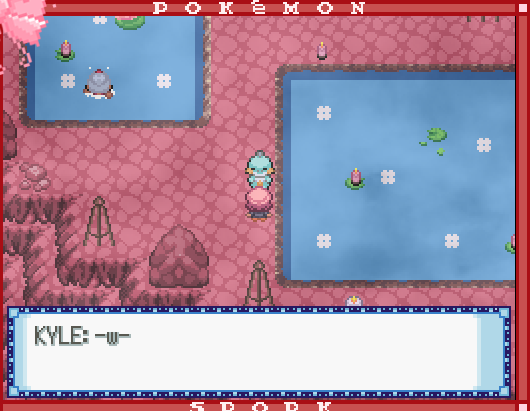
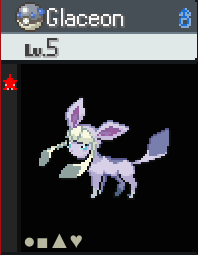
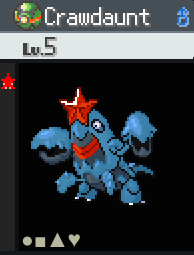
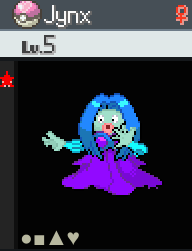
Reuploaded Spork UPDATES: -new custom shinies: custom shiny Glaceon made by me custom shiny Corphish line made by me custom shiny Smoochum line made by me -added third skin tone for Gentlemen, Ace Trainers, Beauties, and Ladies -Hex Maniac skin tones now have different outfit colors, with one still Gen 6 and the others being the two different ZA outfit colors -update to Mulder's Earth Plate quest: added the two new Marvelous Marsh Trainers that were added last reupload, you now only need to beat one wrestler (but Mulder does acknowledge if you've beaten more), and they now all have unique names for their moves -the Floettite now has a quest instead of being found in the overworld: after obtaining the Mega Ring, go to Aretha's Gym and battle a new Trainer there (if you've already done Aretha's Gym before this reupload, you'll have to do the Trainer's initial battle first, as the Floettite battle is a rematch) -Couragi now has a party hat in Alumia's Gym (sprite made by Punkeev) -Kyle, a Couragi relative, has a cameo at Happy Hot Springs (sprite made by Punkeev) -added NPCs in the water at Bolaii Beach that give items (they're like new BCC volunteers) -Apple Acid updated to 90 power -updated the overworld Mega Stone graphic to Rejuvenation's new one in V14 -added a few Trainers -team changes: Dylan's Crawdaunt is now shiny Portal Agent Yuki: Froslass, Espathra -> shiny Jynx, shiny Glaceon -Fishermens' Pokemon are now sent out in Lure Balls -updated several Trainer sprites to have the Poke Ball they're holding match the ones they use in battle (Sushi, Belinda, Fisherman, Hex Maniac, Gentleman, and Pokemon Ranger) FIXES: -the correct Trainer sprites now pop up when wrestling Sire Quag and Whiskerweight for Mulder's Earth Plate quest -filled in white space for two Pokemon Ranger Trainer sprites' legs For the shinies, we've got two Ice-types and a Water-type to help cool you off this summer! Glaceon: resembles Glacia from the Hoenn Elite Four, since Glaceon's Japanese name is Glacia. I wonder why they didn't give Glacia a Glaceon in ORAS...either way, I'm really happy with how this one turned out! Corphish line: based on Atlantic/Chesapeake blue crabs. I made the sprites, but the inspiration was Punkeev's idea! It's not a 1:1 match to the real animal in terms of which body parts are which colors, I just went with the arrangement I thought looked the coolest Smoochum line: based on the Lochladies in Lake Kingdom in Super Mario Odyssey, since I saw a resemblance to Jynx! Punkeev's quote on the Smoochum: "This is so cute, I wanna feed it whole milk and watch tellytubies with it and give it jelly beans." As promised in the last post, we've also got third skin tones for more Trainer classes! Only Team Portal remains, which will be next reupload. New outfit color inspirations: Beauty: continuing the moth Pokemon theme, we had Volcarona and Frosmoth, and now we have Venomoth! Lady: the orange dress is from the orange on Regirock, since Regirock is a rapper in Spork! I thought about changing the other two Ladies to Regice and Registeel dresses to have a consistent theme, but I like their current colors Hex Maniac: they had three skin tones before, but now they also have three outfits! As mentioned further up, one of them keeps the Gen 6 colors, and the other two have the ZA colors Thanks to Punkeev for helping expand the Couragiverse in Spork! There are currently no special events tied to Kyle, he's just napping. But there may be more Couragi relatives and lore in the future!

 1 point
 -
greetings, i have played your mod and have some mixed feedback. i really liked all the QOL additions! i liked how the pool of pokemon that can be obtained is very varying and big. i have sadly quit the mod, this is not because of the level of difficulty, but of how you make the difficulty. its not very fun when the opponent has a beneficial field (not changeable in certain fights?) broken custom 3 or 4 active abilities, broken custom moves and high power variants. impossible pokemon evolutions to fight at certain levels. all the while the player has a nerfed moveset, very limited access to tms or move learners. high difficulty is fun if you actually give the players the tools to be able to beat that difficulty...1 point
-
Like quite a few, I change some of the shinies to colors I'd prefer. Reborn has excellent base shinies 9/10, but some people don't like certain colors, for example I hate pink, and some people may have favorites or just would prefer a change on playthrough number 245. So I figure I'd start a topic here where people could exchange their own custom shinies, since showing a few of mine on discord have a couple of people interested. I hope this is the right place for it, as it seems like it would be. The idea is for people who are open to their recolors being used by others will post them here, and we can just pick and choose what we like. I've included some of mine. A dianci-inspired shiny Carbink, blue Emboar and Pidgey lines, a few green recolors since there aren't that many, and a couple of gender based changes for more pop. Feel free to pick and choose, and use them as you please, they're available for anyone and should be usable on reborn and rejuv. VensCustomsV1.zip1 point
-
FOLLOWING POST CONTAINS SPOILERS FOR THE RENEGADE .KARMA FILES ROUTE FOR REJUVENATION . . . . Similar to my Melia Reborn modpack, I've put together another pack that will replace the Ari sprites with M2 from Rejuvenation! Bike, Surf, Battle, Versus, and Fishing sprites have been replaced with her Archetype form Dive is M6 Play as M2 and cause mayhem upon the Reborn region RENEGADE SPOILER !!.zip1 point
-
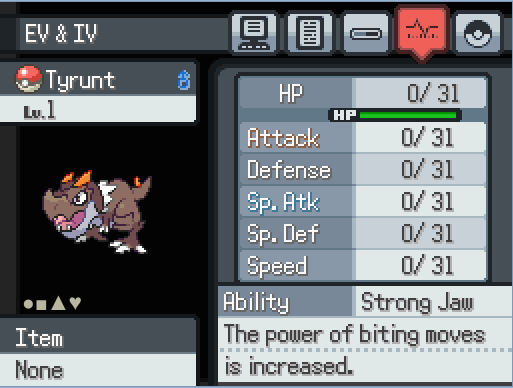
OK So For Those Of you trying to battle people on Reborn's Online, and getting destroyed by people, either 1, you didn't iv breed, or 2 you didn't EV train, or even both. So if you asking what are those things well ill explain to you. Iv's are basically individual values for each stat (hp,attack, etc) , which are determined when the Pokemon is generated, and go from 0-31. You may ask, what difference does this make? Well at level 50, at 31 IV's your stat goes up by 15, at level 100, it goes up by 31. In Reborn, you're able to check what they are in the Pokemon's stats menu. Like so: The 0's You see By the Tyrunt are the EV's: Aka Effort Values. Effort values are gained each time you defeat a Pokemon in battle. For Example. Poochyena gives 1 attack EV, and Mightyena gives 2 Ev's in attack. You EV train by killing certain Pokemon to gain up to 252 EV's in 2 stat, or 510 maximum per Pokemon, every 4 EVs you get increases you actual stat by 1 (At level 100) You may ask, why ev train, what gain do you get from doing so. Well, at level 50, with 252 ivs, you have 32 more in that stat, than you would with 0 evs in that stat. At level 100, with 252, you gain 63 in that stat. You want to ev train your pokemon in the stat they will be using the most, for example, if you have a Bastiodon you're not going to give it 252 ev's in sp attack and speed You will be using it where it should be used, in HP and either Defenses. It's Very important to ev train your pokemon, since after Charlotte, every important battle has their whole team ev trained, such as Blake. Now there is the matter of Pokerus, a virus that lasts up to 3-10 days real time, and doubles the evs you gain while having it. Next to the pokemon's name you will see a pink bar that says: PKRS, which means your pokemon is infected. To preserve pokerus on your pokemon, you put it in the pc, where the timer for Pokerus is turned off. To spread pokerus you put the pokemon with pokerus in your 2nd or 5th slot, and battling any pokemon, be it in the wild, or in a trainer battle. If you already have evs on your mons, in this game, it's not a problem. Go to the 8th floor of the department store, you will get the friendship berries, which lower your evs in certain stats. Also you can go to the move tutor area in the updated peridot ward, and buy the Stat reset discs, for 20k each. Now we get to the part of where you want to ev train. Ev Training locations are good in reborn because in most cases, there is a spot for most combinations. HP: Muk, Grimer, and Gulpin in the water treatment center, all give HP evs, The level range is around 50-70, so make sure your mons can beat them without too much trouble. HP 2: In the Hidden cove, you can fight Ducklett and Audino to gain hp evs aswell. The level range in around 28-42, so at level 35 you should be good to go. HP 3: In Ametrine mountain, you can fight spheal and sealeo for hp evs aswell. Level range is 55-70, so you should come around level 65, since the spheal/sealeo have sheer cold... Hp 4: Tanzan Lake diving with Wooper and Quagsire, Shellos and Gastrodon can be used aswell, Stated by Mr. QuestionMarkSpam himself, Mr. QuestionMarkSpam is a good person =D Attack: In the alleyways in the Peridot Ward, you can fight Poochyena and Mightyena for attack evs. The mon is somewhat common, so finding them won't be too much of a hassle. This is the best spot for ev training in attack and speed at once, since everything in the alleyways except skuntank gives attack or speed evs. Attack 2: On route 1, you can fight the boufallant, which give 2 attack evs, so around 16 per kill. I recommend doing this by the grand gates, since you can always reset the bouffalant to fight them multiple times. Defense: The Cave by the grand stairyway is the best spot to ev train in defense. Sandshrew, Geodude and graveler are all common encounters, so you can easily get defense there. Levels range from 20-28, so its very easy to get them. Defense 2: The cave system on route 3 is also a good spot to ev train in defense, with geodude, graveler, rhyhorn and rhydon giving defense evs, levels range from 55-68, so be high leveled with water or grass moves and you'll be fine. Sp Attack: In the hidden cove, you can fight the oddish and gloom there for Sp attack evs. Levels range from 28-42 aswell, and training shouldn't become too hard. Sp Attack 2: While this spot is unaccesable after entering agate, it still deserves an honorable mention. The place where you find adrienn is a great spot to ev train for sp att. With Natu, Xatu, Elgem, you get it done pretty fast, but again, isn't accessable after agate. Sp Attack 3: Shout outs to Mr. QuestionMarkSpam for this one, being slugma and numel in pyrous mountain, from 30-40, you don't have to grind to bad to get to ev train there. Sp Defense: Azurine lake after entering agate is sadly the only spot i can find for special defense. Ranging from level 45-60, make sure you can defeat the tentacool there easily, or it'll be a pain, trust me. Speed: The previously mentioned alleyways serve as a good spot to ev train for speed, with purrloin liepard, espurr, meowstic, electrike, manectric and stunky. It's very quick to ev train for speed here, taking only around 10 minutes of killing with pokerus. Speed 2: Literally ANYWHERE WITH WINGULL. Speed 3: Another one from Mr. QuestionMarkSpam is Fishing in Tanzan cove with a good rod, luvdisc and basculin are so easy to do, but it is tedious, if you want to do this method, i recommend having ALOT of patience. Trust me, luvdisc heart scale farming is a pain as is. So hopefully this has proven helpful to you guys, i really wanted to do this, because most people don't know how to ev train in these games, and i love to be able to battle a good team on reborn online, (i'm looking at you DemICE) and have some fun. So all i can say is: Have fun grinding, grinding and GRINDING.
 1 point
 -
How you can dislike Golduck, it's a platypus!1 point